AI coding agents · on a computer you own
Build software with AI agents on your own computer.
ion runs AI coding agents — Claude Code or Codex, signed in with your own plan — on a Mac or Linux computer you own. You describe the work; each task runs on its own branch, pauses to ask when only you can answer, and comes back as a preview you merge from your desk, your iPhone or your Apple Watch.
Runs on a Mac or Linux computer that stays on. Works with your Claude or ChatGPT plan. Early access is free.
The loop
You describe the work. The agent builds it, and asks when it needs you.
- 01AskDescribe the change, or share a link, photo or file into a project from any app.
- 02PlanThe agent asks what it can’t work out, then proposes tasks you edit and approve.
- 03RunEach task runs on its own branch in its own checkout, several at once.
- 04UnblockA question from the agent reaches your phone or watch; you answer it there.
- 05ReviewOpen the preview URL, read the summary, merge or discard the branch.
- 06ShipMerging to main can fire a deploy: to an iPhone, a Mac, TestFlight, or your own command.
What it does
A workshop for agents, on your own machine.
ion holds your projects, their git repositories, a task board and your secrets, and runs the agents for you. Your devices reach it over a private Cloudflare Tunnel with Cloudflare Access in front, so no ports are opened and your code stays on your machine.
A task board the agent works from
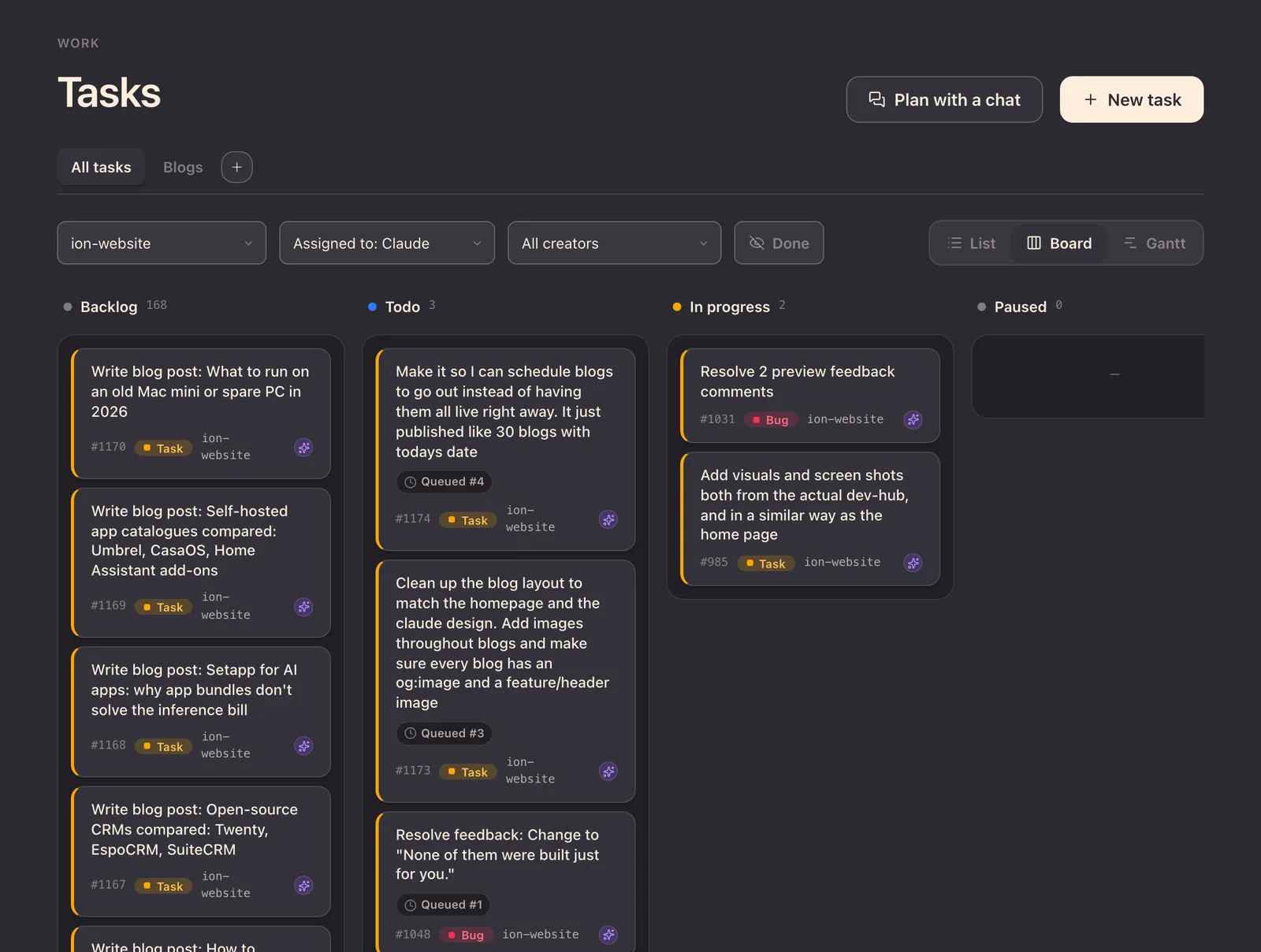
Tasks with a written spec, dependencies and statuses. A task that waits on others moves itself along when they finish.
Several agents, no collisions
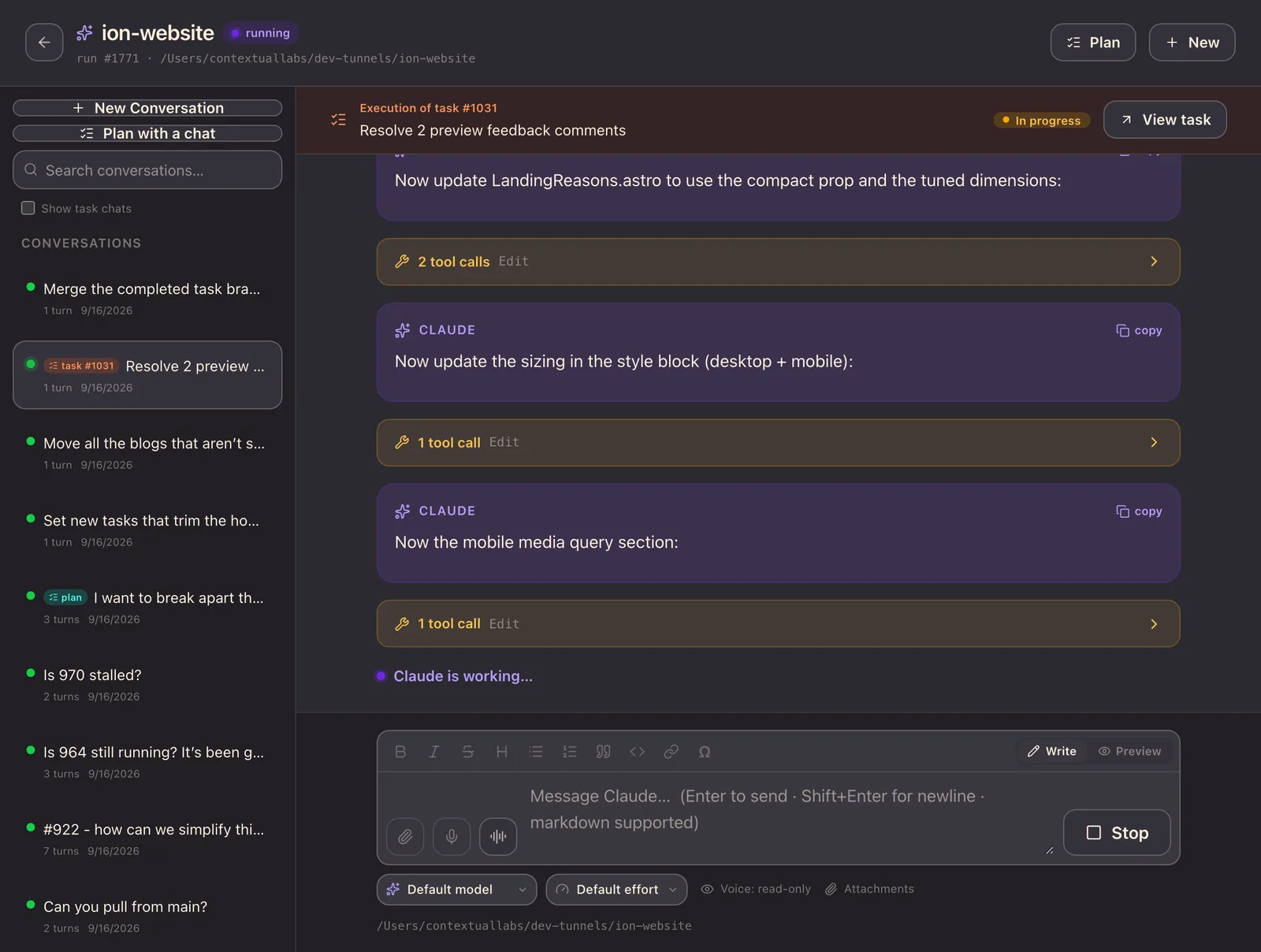
Every run gets its own git worktree on its own branch, up to three at once. Nothing reaches main until you merge it.
A plan before any code
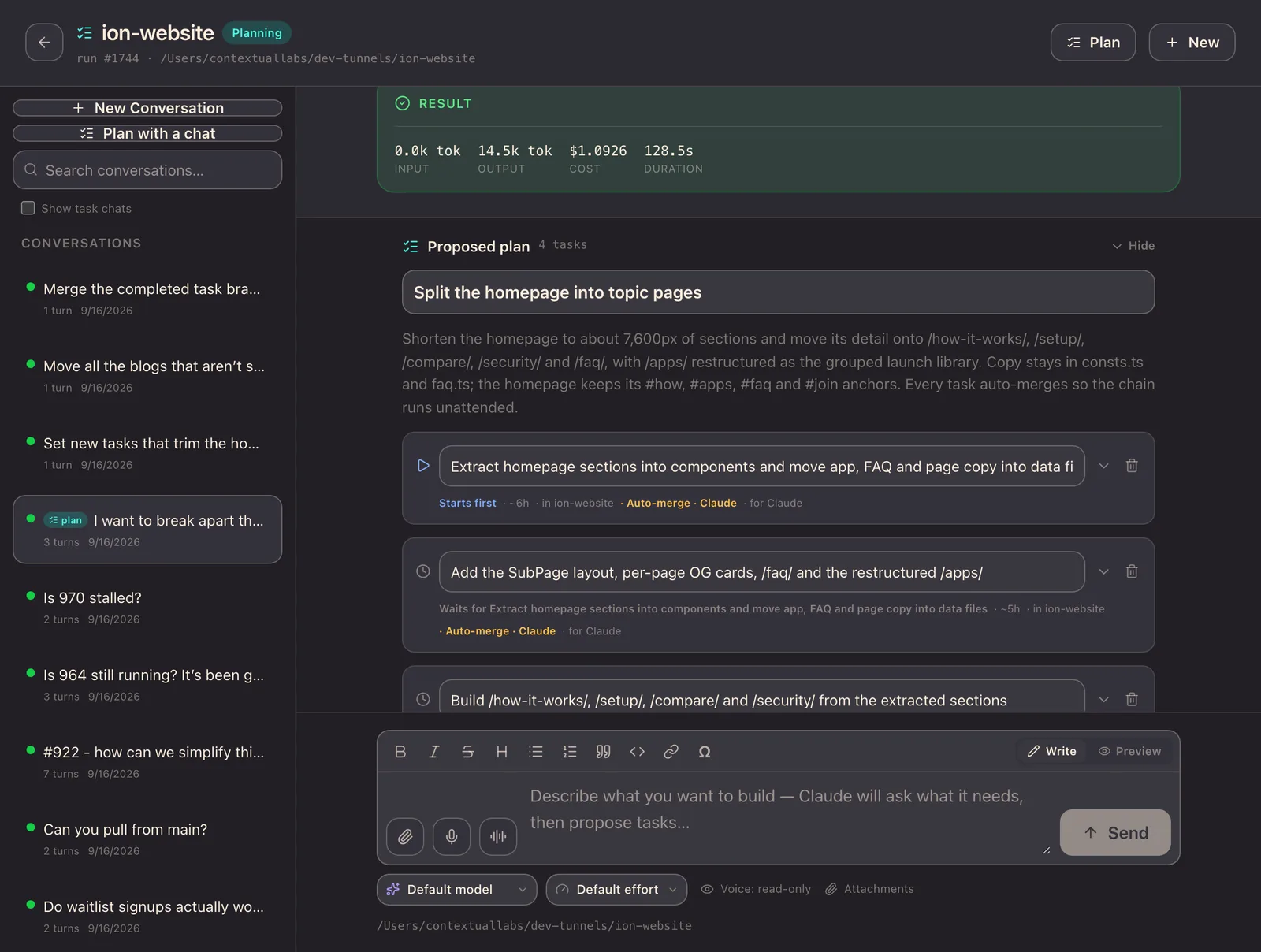
A planning chat reads the project, asks what it can’t work out, and proposes linked tasks you edit and approve.
Previews and deploys
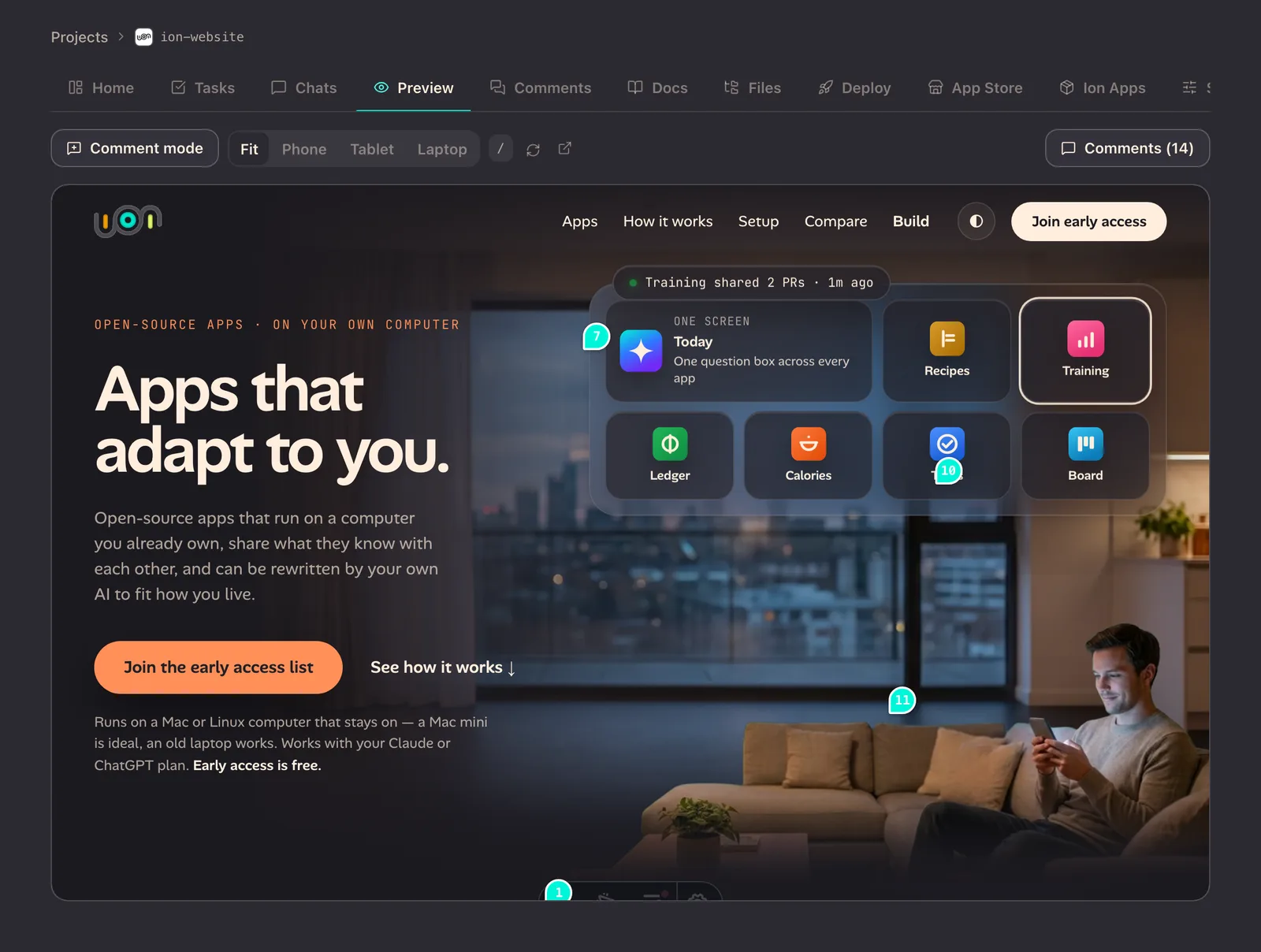
Each project gets its own HTTPS preview you can open on your phone, and merging can deploy to an iPhone, a Mac or TestFlight.
The ion app
Answer an agent from your phone or your watch.
When a run hits a question only you can answer, the task pauses and the question lands in one Needs Attention list: a tray on your iPhone, a home-screen widget, and the first card on your Apple Watch, where you pick an answer or dictate one. The run carries on when you reply. The phone isn’t where you type code; it’s where you approve a plan, answer a question and tap merge.
- Needs Attention. One list of everything waiting on you, across every project.
- A watch app of its own. Projects, questions, tasks and chat, with dictation.
- Share sheet. A link, photo or document from any app becomes a task in the project you choose.
Who it’s for
Never built an app
Have an app idea? Build it.
You don’t need to be a developer. Describe the app you wish existed; ion plans it with you and builds it on your own computer.
Already use Claude Code or Codex
Run more agents, and stop babysitting them.
Queue the work on a board, let a background runner hand each task its own worktree, and get on with your day. A question finds you; a finished branch waits for your review.
What do I need to run ion?
- A Mac or Linux computer that stays on. ion and the agent run there.
- A Cloudflare account and a domain, for the tunnel. A setup wizard does most of the work.
- A Claude or ChatGPT plan, for Claude Code or Codex.
- macOS with Xcode, if you want to deploy to iPhone, Mac or TestFlight.
Where it stands
Can I download ion yet?
If you’re invited. We build ion with ion every day, this site included. It has no public release yet: you sign in to download it. Downloads are open to invited accounts for now. The ion app isn’t on the App Store yet. The early-access list below is the way to hear when they open up.
Looking for the home server?
The apps and the home server are now Oikou.
This site used to be about a home server and a library of open-source apps your own AI can rewrite. That product is now called Oikou, and it has its own site. ion is the tool it is built with.
Questions
Can’t find it? Email hello@useion.ai, or ask when you join the list.
What is ion?
ion runs AI coding agents — Claude Code or Codex, signed in with your own plan — on a Mac or Linux computer you own. You describe the work; each task runs on its own branch, pauses to ask when only you can answer, and comes back as a preview you merge from your desk, your iPhone or your Apple Watch. It has no public release yet: downloads are open to invited accounts, and early access is free.
What computer does ion need?
A Mac or Linux computer that stays on; ion and the agents run there. You also need a Cloudflare account and a domain for the tunnel your devices use to reach it, and a Claude or ChatGPT plan. Deploying to an iPhone, a Mac or TestFlight needs macOS with Xcode.
Which AI does ion use?
Yours. ion runs Claude Code or Codex on your computer, signed in with your own Claude or ChatGPT account. Usage comes out of that plan and its limits; ion adds no second AI subscription.
How does ion run several agents at once without conflicts?
Each run gets its own git worktree on its own branch, so parallel agents never collide and nothing reaches main until you merge it. A background runner picks up tasks assigned to the agent, up to three at once. If a merge conflicts, the agent can be asked to resolve it.
Can I download ion yet?
If you’re invited. ion has no public release yet: you sign in at https://account.useion.ai/downloads to download it, and downloads are open to invited accounts for now. The early-access list is the way to hear when it opens up.
How much does ion cost?
Pricing hasn’t been announced yet. Joining early access through the waitlist costs nothing. The agents run on your own Claude or ChatGPT plan, so their usage comes out of that plan and its limits.
Where did the home server and the apps go?
This site used to describe a home server and app library called Ion, with a catalogue called Ion Apps. That product is now Oikou, with its own site at oikou.app; ion is the developer tool. Its questions are answered at https://www.oikou.app/faq/.
Get early access.
Invite-only, released in small waves. Free during early access.