How to answer Claude Code's questions from your Apple Watch
Claude Code's push, ntfy hooks and the phone apps can all buzz your wrist, but few let you answer there. What reaches an Apple Watch today, what doesn't, and the options that do.
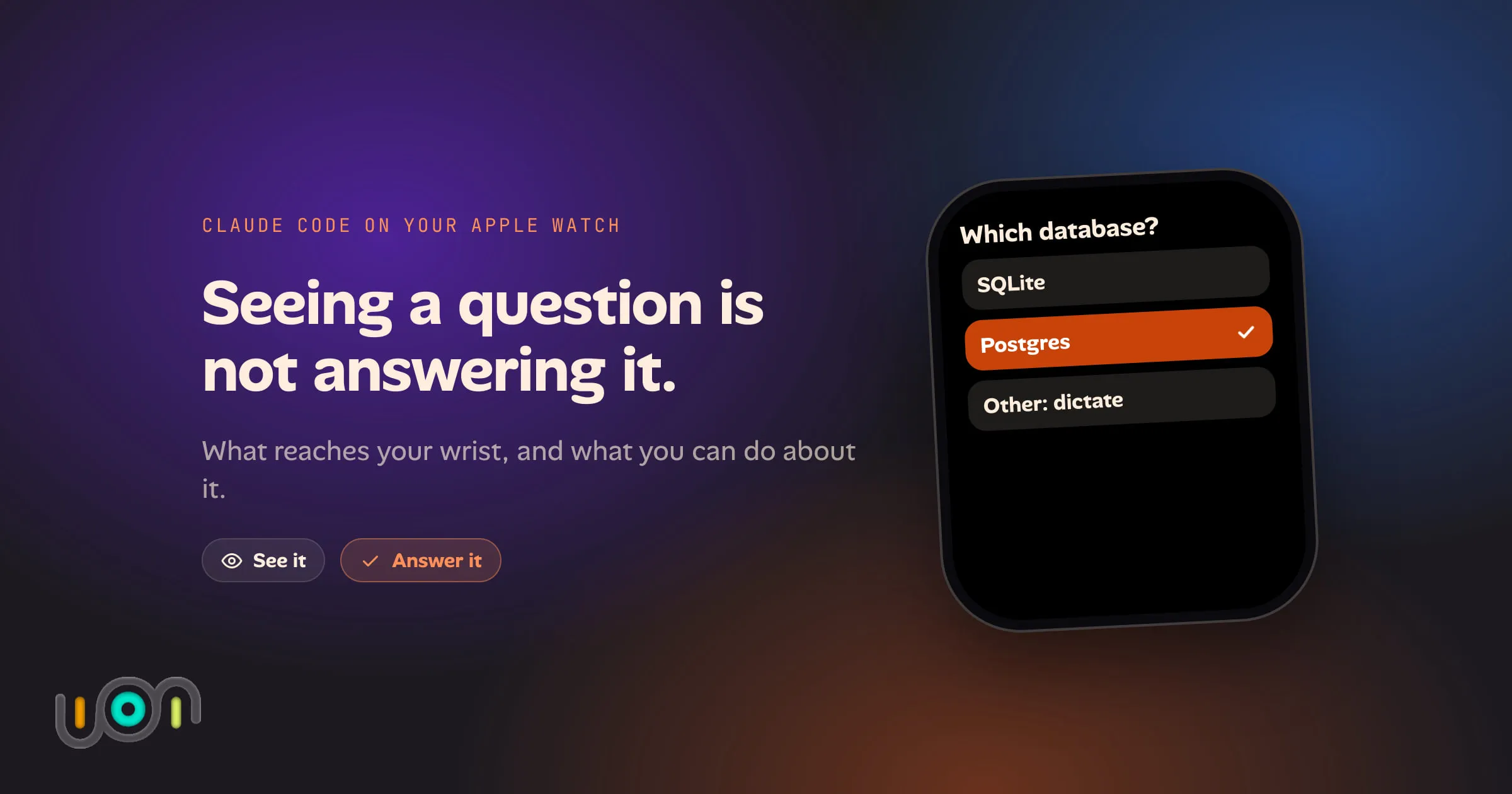
Claude Code stops when it needs you. It asks which approach to take, or whether it may run a command, and then it waits. If you’re away from the terminal, nothing happens until you’re back.
An Apple Watch is the obvious fix: it’s on your wrist, it buzzes, and a short answer is exactly what it’s good for. But two different things get called “Claude Code on the Apple Watch”, and they are far apart. One is seeing that Claude needs you. The other is answering it without taking out your phone.
Everything below was checked in October 2026, and these tools change fast.
The short answer
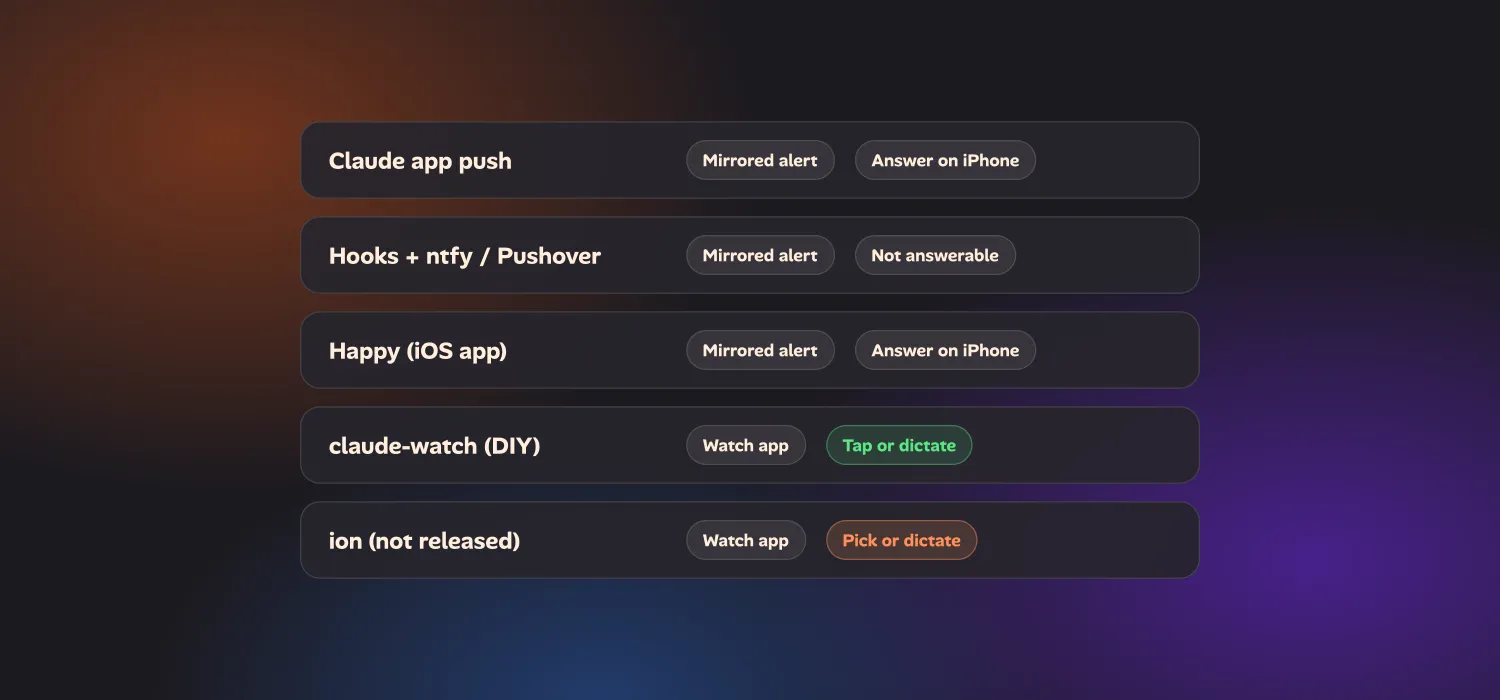
Anthropic’s own route (Remote Control plus the Claude app) can put an alert on your wrist, but you answer on the phone. Hooks that push to ntfy or Pushover do the same with less polish. The phone apps for Claude Code have no Watch app. The only things that let you answer from the wrist today are a few hobby projects you build and run yourself, and one tool of mine that isn’t released yet.
| Route | Reaches the watch | Answer on the watch | What it costs you |
|---|---|---|---|
| Remote Control and Claude app push | Yes, as a mirrored iPhone alert | No. Open the Claude app on the phone | A Pro, Max, Team or Enterprise plan |
| Hooks to ntfy or Pushover | Yes, as a mirrored alert (Pushover also has a Watch app) | No | A small settings.json hook |
| Happy | Yes, as a mirrored alert | No. It has no Watch app | Install the app and its CLI |
| Omnara | Not that I could find | No | Its dashboard, CLI or Slack connector |
| claude-watch and similar | Yes | Yes: approve, deny, pick or dictate | Build the app in Xcode, run a bridge on your Mac |
| ion | Yes | Yes: pick or dictate | Not publicly released |
Anthropic’s route: Remote Control and Claude app push
Remote Control connects a Claude
Code session running on your machine to the Claude app on your phone and to
claude.ai/code. You start it with claude remote-control, or run /remote-control
inside a session. Your code and tools stay on your computer. It needs a claude.ai
subscription login, so an API key won’t do.
With Remote Control on, Claude can also send mobile push notifications. In
/config you turn on Push when Claude decides for task-finished alerts and
Push when actions required for permission prompts and questions. Claude Code
holds a permission prompt or an AskUserQuestion question open until you answer
it, so a slow reply costs you nothing.
What reaches the watch. The Claude app has no Watch app, and I found nothing in Anthropic’s docs about the Watch. What you get is ordinary iOS behaviour: when your iPhone is locked, a paired Apple Watch shows the phone’s notifications. So the alert usually appears on your wrist with its text.
What you can do there. You see it and you tap it. Then the iPhone takes over: you unlock it, open the Claude app, find the session and answer. An open request in Anthropic’s Claude Code repository asks for the answer buttons to appear on the notification itself, and describes today’s push as generic “input needed” text with no question or options. It was filed in September, so check whether that has changed. Until the buttons exist, the watch is a pager.
Hooks that push to ntfy or Pushover
Claude Code’s Notification hook runs a
command whenever Claude sends a notification, including when it’s waiting on a
permission prompt. Point that command at a push service and your phone, and so your
watch, gets pinged. This needs no subscription and works for sessions you started
in a plain terminal.
{
  "hooks": {
    "Notification": [
      {
        "hooks": [
          {
            "type": "command",
            "command": "jq -r .message | curl -s -H 'Title: Claude Code' -H 'Priority: high' -d @- ntfy.sh/pick-a-long-random-topic"
          }
        ]
      }
    ]
  }
}
Hook input arrives as JSON on stdin, so jq -r .message pulls out the text Claude
would have shown. That is the whole trick, and it’s all this post will say about
setup. A public ntfy.sh topic is readable by anyone who guesses the name, so use a
long random one, or self-host ntfy. ntfy can attach
action buttons to a notification, but I haven’t confirmed that they work from a
Watch, and a button can only fire a web request. It can’t pick Claude’s option for
you.
Pushover is the polished alternative. It has its own Apple Watch app and complications, though one reviewer on the App Store reports delayed Watch alerts.
What reaches the watch: the alert. What you can answer: nothing. A
Notification hook is observational, and its exit code is ignored. If you want a
hook to make a decision, that’s the PermissionRequest hook, which can return
allow or deny for a tool call. That’s the hook the DIY watch projects below
are built on, but it only covers permission prompts, and something has to be
listening for your reply.
The phone apps: Happy and Omnara
Two third-party clients cover Claude Code from the phone.
Happy is an MIT-licensed mobile and desktop client for Claude Code and Codex, with end-to-end encryption. Its App Store listing mentions push notifications for permission requests and task completion. Neither the README nor the App Store page lists a Watch app, so it behaves like the Claude app: a mirrored alert, then you answer on the phone.
Omnara is an Apache-2.0 agent dashboard with a web app, a CLI and SDK, and a Slack connector. I found no mention of a Watch app in its documentation or repository.
If you’d rather answer from a phone than a terminal, both are reasonable. They don’t change the watch picture.
The hobby projects that do answer from the wrist
This is where the wrist becomes useful, and it’s a short list of open-source repos. All of them are one person’s side project, so expect to build and maintain them.
- claude-watch (MIT) is the most complete one I found. The Watch app shows live terminal output, lets you approve or deny permission prompts, shows a question’s options as tappable buttons, and takes dictated replies. It needs a Node.js bridge running on your Mac, HTTP hooks in your Claude Code config, and your Watch and Mac on the same Wi-Fi. You build the apps yourself with Xcode.
- Handwave is a watchOS app for talking to Claude Code sessions by voice: status updates, switching sessions and giving instructions. v1 works over the local network only, and it needs an Anthropic API key.
- AgentWatch sends alerts to your watch through Bark. It’s notification-only; approving from the wrist is on its roadmap.
The pattern is the same in all of them. A hook on your Mac talks to a small server, the server talks to an iPhone app, and the iPhone app talks to the Watch. It works, but you’re now running a service whose job is to keep a hook open until you tap. When the Mac sleeps or the Wi-Fi changes, the answer has nowhere to go.
What I do instead: questions land in Needs Attention
I run Claude Code through ion, a local task board that hands tasks to an agent in its own git worktree, and its Watch app exists for exactly this problem. A task that asks something pauses, and the question goes to Needs Attention, a single list across every project: agent questions, finished work to review, and unread replies.
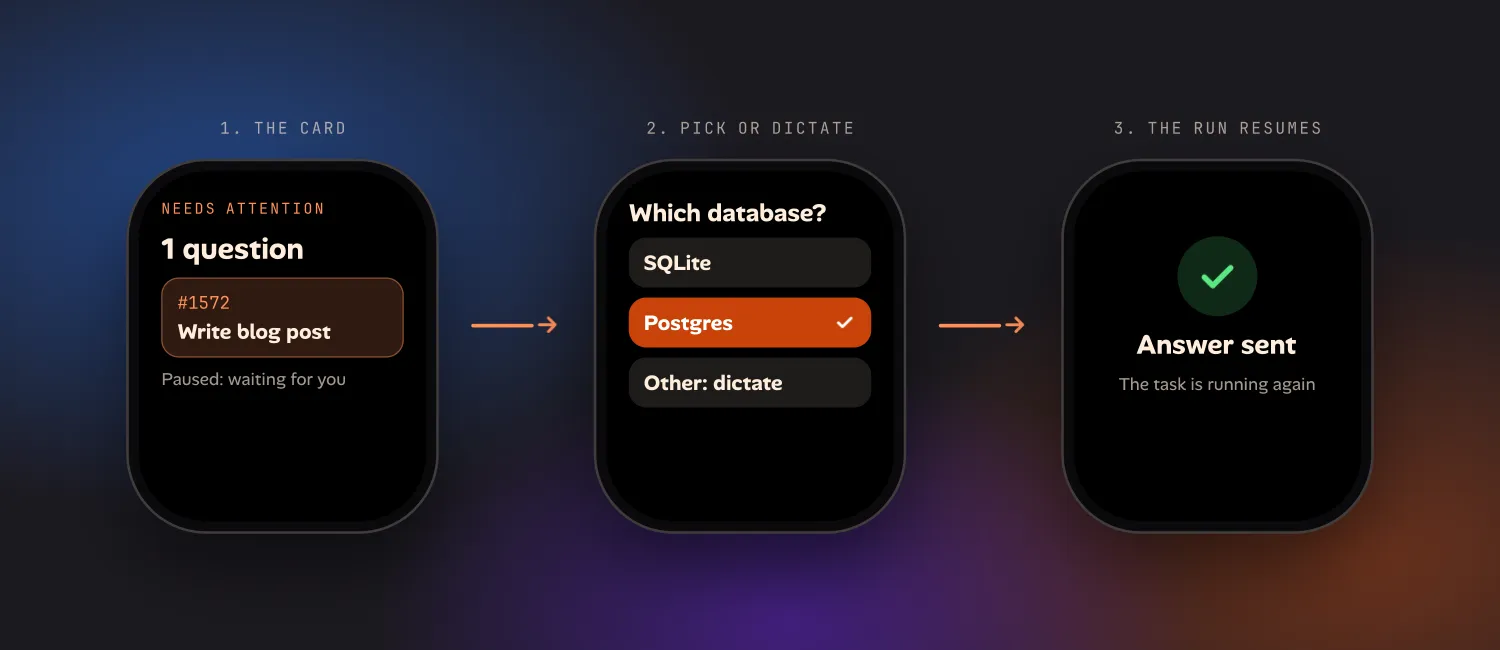
On the Watch, that list is the first card, and there’s a complication that shows whether anything is waiting. You tap into the task and get one question per screen: the options Claude offered as tappable rows, an Other row you dictate into, and a skip that tells Claude to use its best judgment, so a run is never stuck behind an answer you don’t have. Answer the last one and the hub picks the paused task up again. There’s no bridge process to keep open on your Mac.
It can’t do everything.
- It answers questions that the agent asks through ion. It isn’t a remote for
the permission prompts of a
claudesession you started by hand in a terminal. - It runs Claude Code only, on your own Mac.
- An unanswered question is waiting on you, not stuck. A queue that looks stalled is often just full, which I wrote up in one cap for every agent run.
If this is your kind of setup, /developers/ lists what ion
does, and /for/builders/ covers running agents from your phone
and watch.
Which one should you use?
- You just want to know when Claude is waiting: hooks and ntfy, or Remote Control’s push. Both reach your wrist in a few minutes of setup.
- You want to answer from your phone: Remote Control with the Claude app, or Happy.
- You must answer from the wrist, and you like building it: claude-watch.
- You want it without running a bridge: that’s the gap ion is aimed at, once it’s released.
Whichever you pick, test it with a real question before you trust it on a long run. The failure to avoid is a buzz you can’t act on, because it teaches you to ignore the buzz.
Questions
Can I approve Claude Code from my Apple Watch?
Not with anything Anthropic ships. Remote Control and the Claude app's push notifications can reach your wrist as a mirrored iPhone alert, but you answer in the app on your phone. Community projects such as claude-watch add a real Watch app that approves, denies and answers from the wrist, at the cost of running a bridge on your Mac.
Does the Claude app notify my Apple Watch?
Claude Code can send push notifications to the Claude app on your phone when Remote Control is on. iOS mirrors an app's notifications to a paired Apple Watch by default while the phone is locked, so they normally show on your wrist. The Claude app has no Watch app of its own, so tapping the alert opens the iPhone.
Can a hook answer Claude Code's question for me?
A Notification hook can only observe: it is how you send a ping to ntfy or Pushover. A PermissionRequest hook can return an allow or deny decision, which is the hook the DIY watch bridges build on. Neither one lets you pick an answer to a multiple-choice question without something you host listening for your reply.
Is there a polished way to answer Claude Code's questions from an Apple Watch?
Not one you can download today. The task board I run Claude Code from, ion, has a Watch app where a question appears under Needs Attention and you pick an option or dictate an answer, but it has no public release yet.