Can you build an app with Claude Code (or Codex) if you can't code?
An honest beginner walkthrough: what you need, how to write a one-page brief the agent can build from, why to answer its questions first, how to check the result, and where first-timers get stuck.
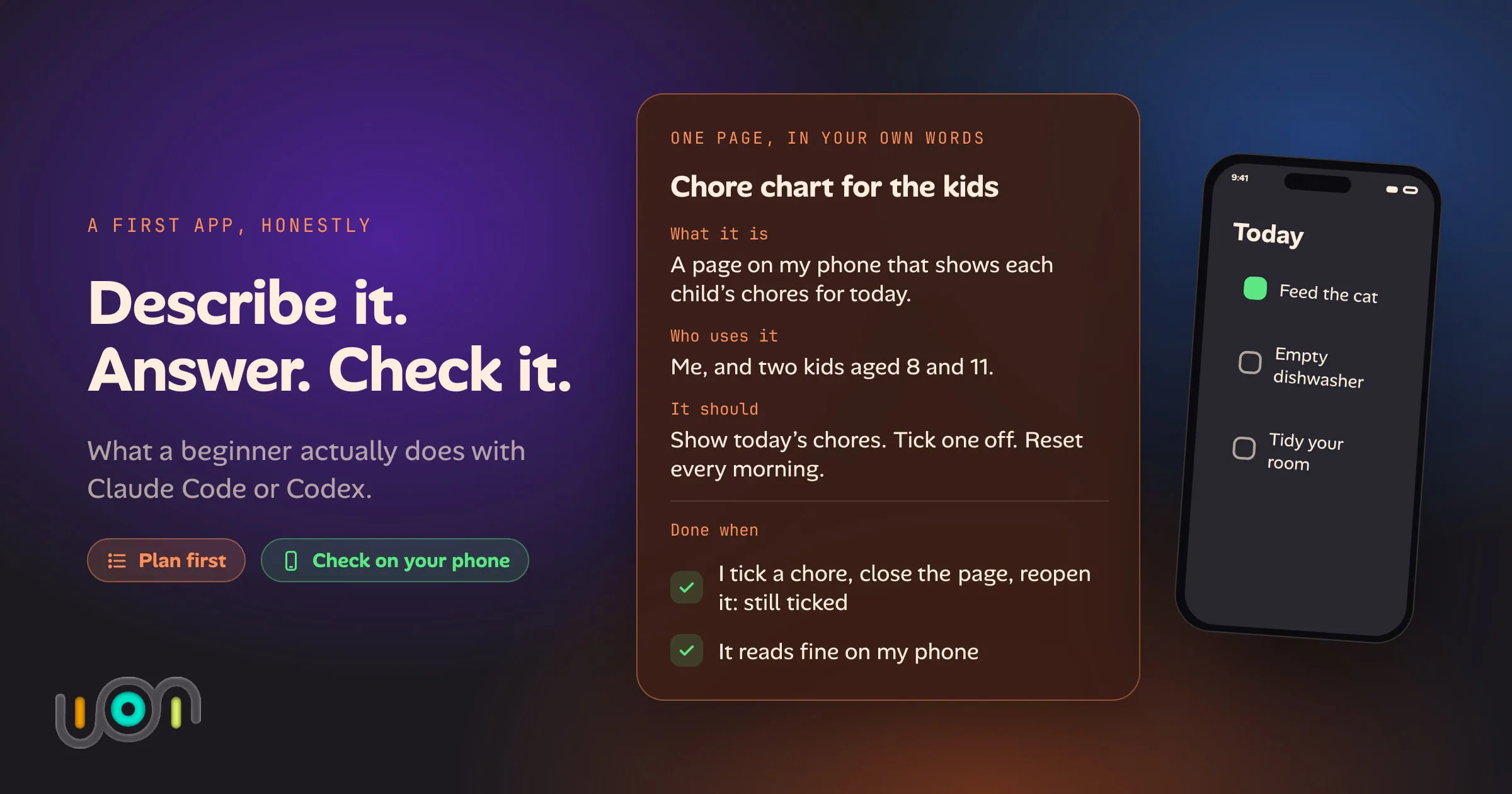
Yes, you can get a long way with Claude Code or Codex without writing code yourself. The honest version of that sentence matters, because the claim that “anyone can ship an app by typing a sentence” sets people up to quit on day two.
The code is not where first-timers stall. They stall on three other jobs: describing the app clearly, answering the agent’s questions, and checking what it built. Those are all things you can learn, and none of them need a computer science degree. This is a walkthrough of each, plus the places where beginners get stuck.
I checked the product steps below against Anthropic’s and OpenAI’s own documentation on 4 October 2026. Both products change often, so if a menu is not where I say it is, trust the current docs over this post.
What you need
Three things.
A paid plan with the agent included. Claude Code needs a Pro, Max, Team or Enterprise plan, according to Anthropic’s desktop quickstart. Codex is OpenAI’s counterpart, and OpenAI’s help pages say it comes with ChatGPT plans. On both, how much you can do in a session depends on your plan and how big the work is, and the usage limits apply to everything you build. If you are weighing that against a hosted builder such as Lovable, Claude Code vs Lovable compares what each costs.
A computer. The Claude desktop app runs on macOS and Windows, with a Linux beta. Codex has a desktop app too, and OpenAI recommends it for projects and local files.
The Code tab, or a terminal. In the Claude desktop app you click Code, choose Local, and use Select folder to pick where the project lives. Anthropic says the desktop app includes Claude Code, so you do not need to install Node.js or a command-line tool to use that tab. You can also use the terminal later if you want to. Codex works the same way: sign in, then pick a folder.
Make the folder an empty new one for a new app, not your Documents folder. The agent works on the files in the folder you choose, so a tidy folder is a tidy blast radius.
How to describe an app so the agent can build it
“Make me a chore app” produces something, and almost certainly not the thing you pictured. The fix is a one-page brief. Write it in your own words, not in technical terms.
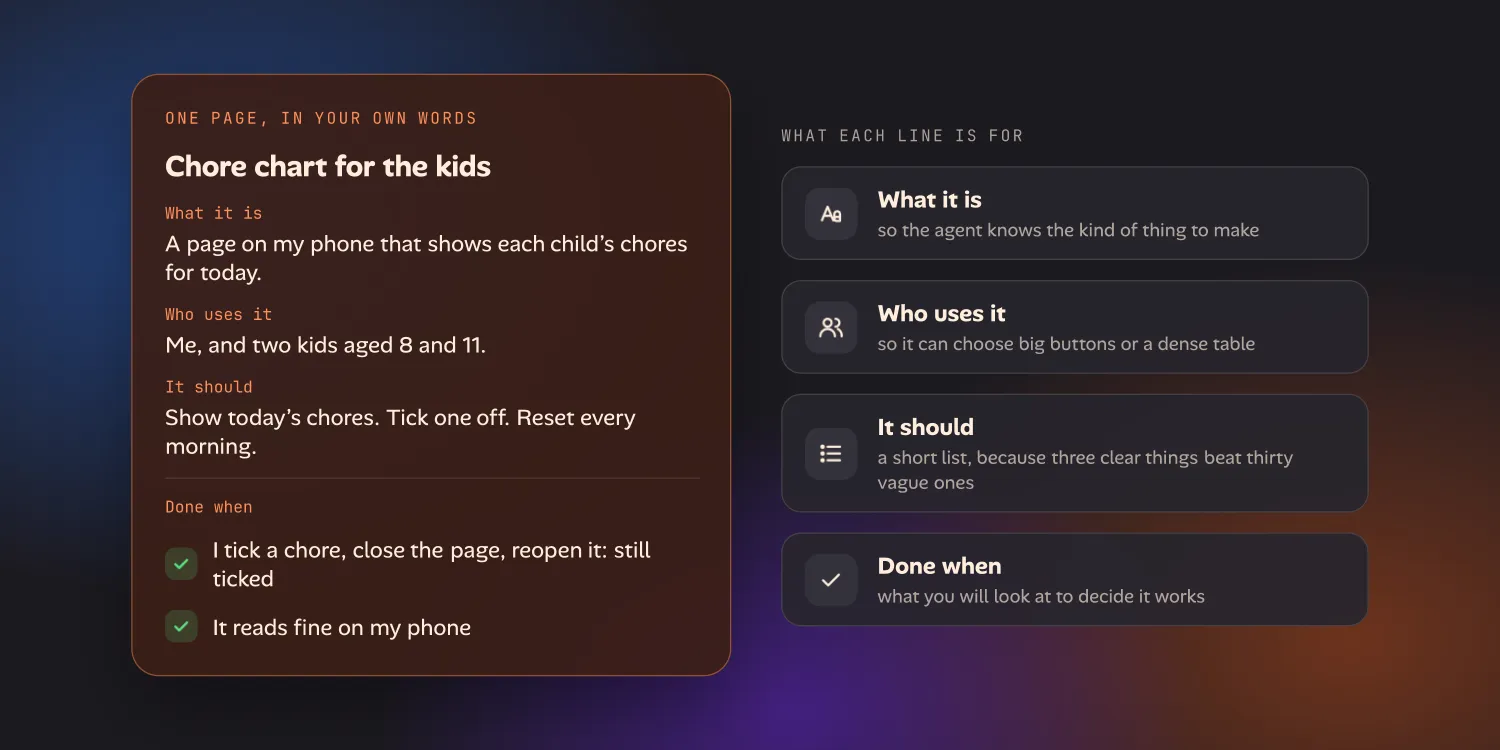
Four parts are enough:
- What it is. One sentence. “A page on my phone that shows each child’s chores for today.”
- Who uses it. You, your family, a customer. This changes the answer to nearly every design question.
- What it should do. A short list of three or four things. Three clear things beat thirty vague ones.
- What “done” looks like. The part nearly everyone skips. Write what you will look at to decide it works: “I tick a chore, close the page, reopen it, and it is still ticked.”
Two more things help. Show examples: a screenshot or sketch, or a link to an app you half like with a note on what to copy and what to leave. And say what the first version does not need: logins, payments and sync between devices are each a project of their own, and a first app is better without them.
Answer its questions before it builds
Both agents have a way to think before they touch files, and for a beginner it is the most useful setting there is.
In Claude Code it is plan mode. In the desktop app, Plan is one of the permission modes next to the send button, and Anthropic describes it as Claude proposing an approach without editing any files. In the terminal, press Shift+Tab to cycle to it, or start a prompt with /plan. When the plan is ready, Claude shows it and asks how to proceed. You can approve it, or choose No, keep planning and tell it what to change. Codex has its own permission and approval settings, and its docs cover them under “Permissions”.
Plan mode does not guarantee questions, so ask for them. Add one line to your brief: “Before you plan, ask me anything you can’t work out from this.” Then answer in plain words. A good agent asks things like whether the chores reset daily or weekly, whether each child gets their own page, and where the data should live. These are decisions about your app, and you are the only one who can make them.
Read the plan before you approve it. You do not need to follow every technical word. Check that the pieces are in the order you would want, and that “done” for each piece matches what you wrote. If the plan describes something you did not ask for, say so now: it costs one message here and a lot more later.
How to check what it built
Do not take “it works” as the answer. Run it.
- Open it. In the Claude desktop app, Claude can start the app and show it in a built-in Browser pane, and it usually does this after editing files. You can ask it to preview at any time. In Codex or the terminal, ask: “Start the app and tell me the address to open.”
- Use it the way you wrote the brief. Tick the chore, close the page, reopen it. Your “done when” line is your test.
- Look at it on your phone. If the phone is on the same Wi-Fi as the computer, you can often ask the agent for an address your phone can open on your home network. It works on many setups and fails on some, such as guest Wi-Fi, work VPNs and strict firewalls. If it fails, say what you see and ask the agent to help; it is a common snag, not a sign you broke something.
- Keep the changes reviewable. In Manual mode Claude proposes each change and waits for you, and your files are not modified until you accept. Accept edits is faster. Either way, you can open the diff and ask about anything you do not understand, and an agent will explain its own work in plain language.
Where beginners get stuck
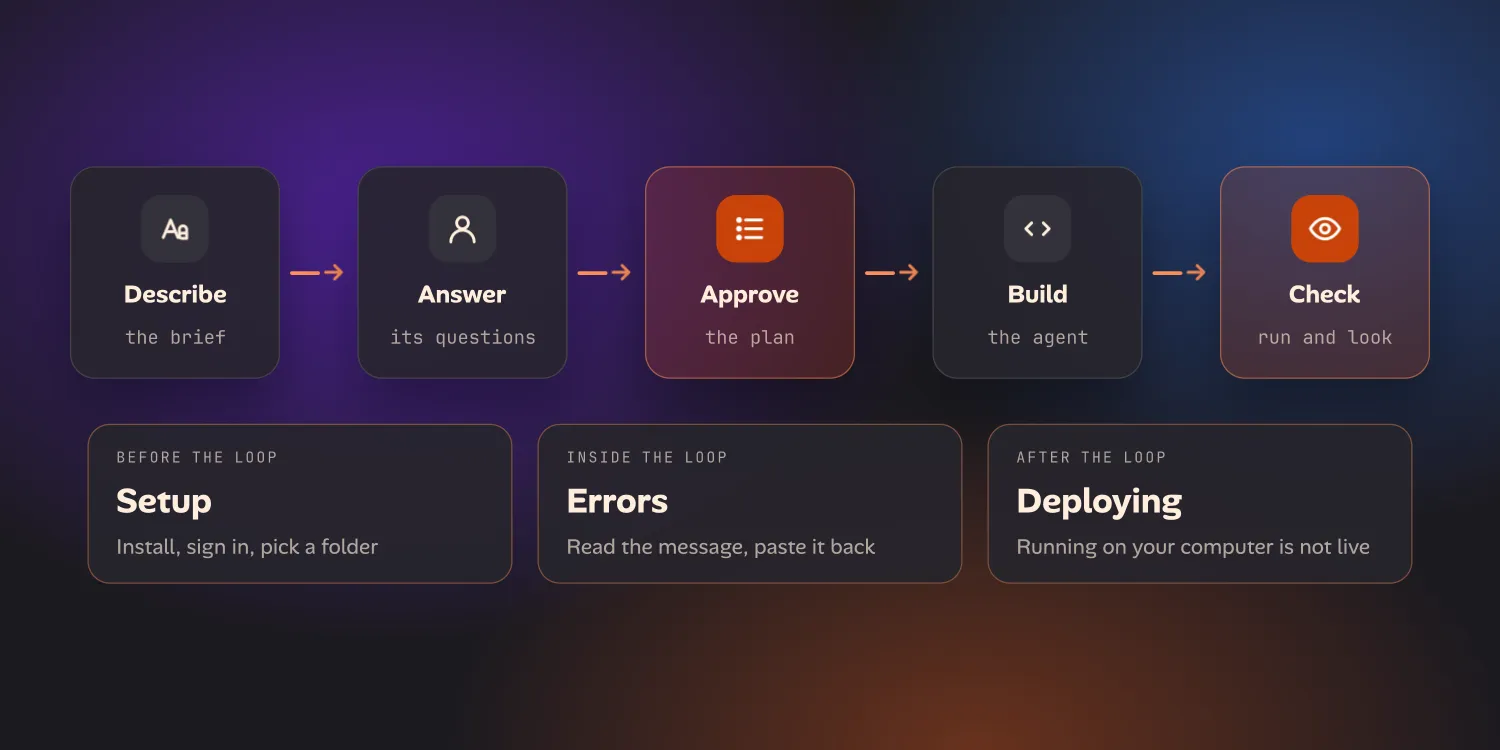
Setup. Signing in, installing, picking a folder, and finding out that a tool you need is missing. The desktop app removes most of it. Some features still need extra software: Anthropic’s docs say sessions that run in their own worktree need Git, for example. When you see a message that something is missing, paste it to the agent and ask what to install.
Errors. Your app will break at some point, usually with a wall of red text. Do not read it as a verdict. Copy it, paste it back, and say what you were doing when it appeared. Agents are good at this, and it is often the fastest way to learn what is going on. If the same error comes back three times, stop and ask: “Explain what is wrong, and propose two different ways to fix it.”
Deploying. An app running on your computer is not live on the internet, and it is not on anyone’s phone. Putting it somewhere other people can open it is a separate job, with hosting, and sometimes domains. A native phone app is a bigger job again: Apple’s developer account, signing and review are steps you do yourself, and the App Store decides the outcome. Many first apps are just for you or your family, and that is a perfectly good place to stop.
A note on safety: for a first app, keep passwords, payment details and anyone’s private data out of it. The agent can build something that appears to work and is still unsafe to trust with real information.
How ion structures the same loop
I build ion, and the loop above is what it is designed around. It is described step by step on the developers page, and the first-app page covers it for people who have never built anything.
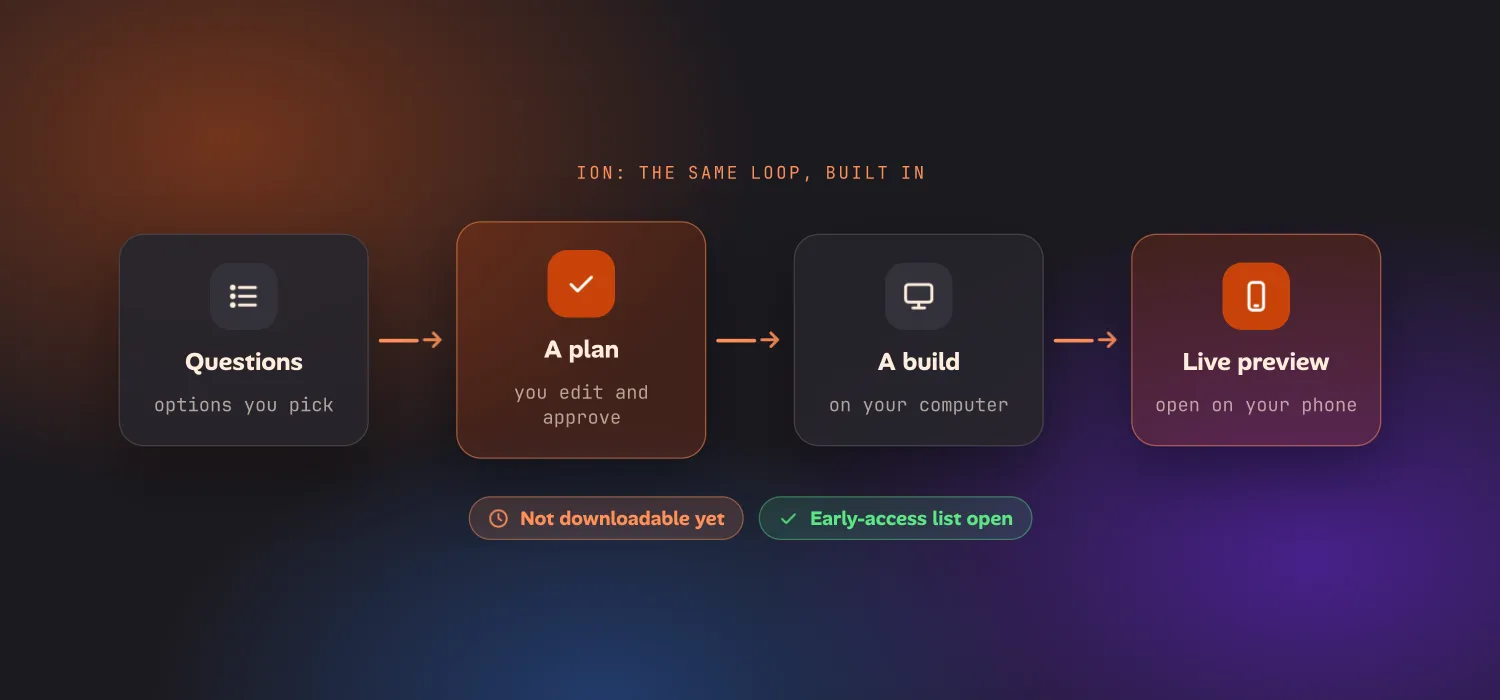
- It asks only what it cannot work out, as options you pick from, rather than a blank prompt.
- It proposes a plan you edit and approve before anything is built.
- It builds on your own computer, using the Claude or ChatGPT plan you already pay for (its usage limits apply).
- You get a live preview you can open on your phone.
It is not downloadable yet. There is an early-access list on the homepage, but nothing to install today, so everything above you can do now with Claude Code or Codex alone. Whether you need to know how to code to use ion is answered in the FAQ: you do not, though you still decide what the app is for and whether it works.
Questions
Do I need to know how to code to use Claude Code?
No, but you do need to describe the app clearly, answer the agent's questions and check what it built. The desktop app's Code tab works without a terminal. You will still meet error messages, and you will still decide what the app is for and whether it works.
Can ChatGPT build an app?
Chat on its own gives you code to copy. Codex is OpenAI's coding agent, and OpenAI says it comes with ChatGPT plans. It works in a folder on your computer, so it can create and edit the files itself. How much you can do depends on your plan, the model and the size of the task.
Can I put an app I built this way in the App Store?
Not by describing it alone. Apple's developer account, signing and review are steps you do yourself, and an agent can help with parts of them but cannot promise the outcome. Many first apps are just for you, and never need the App Store.