Claude Code vs Lovable: what you pay when you already have an AI plan
Lovable and Bolt, Claude Code and Codex, and Dyad compared: where each runs, who owns the code, and what it costs on top of a Claude or ChatGPT plan.
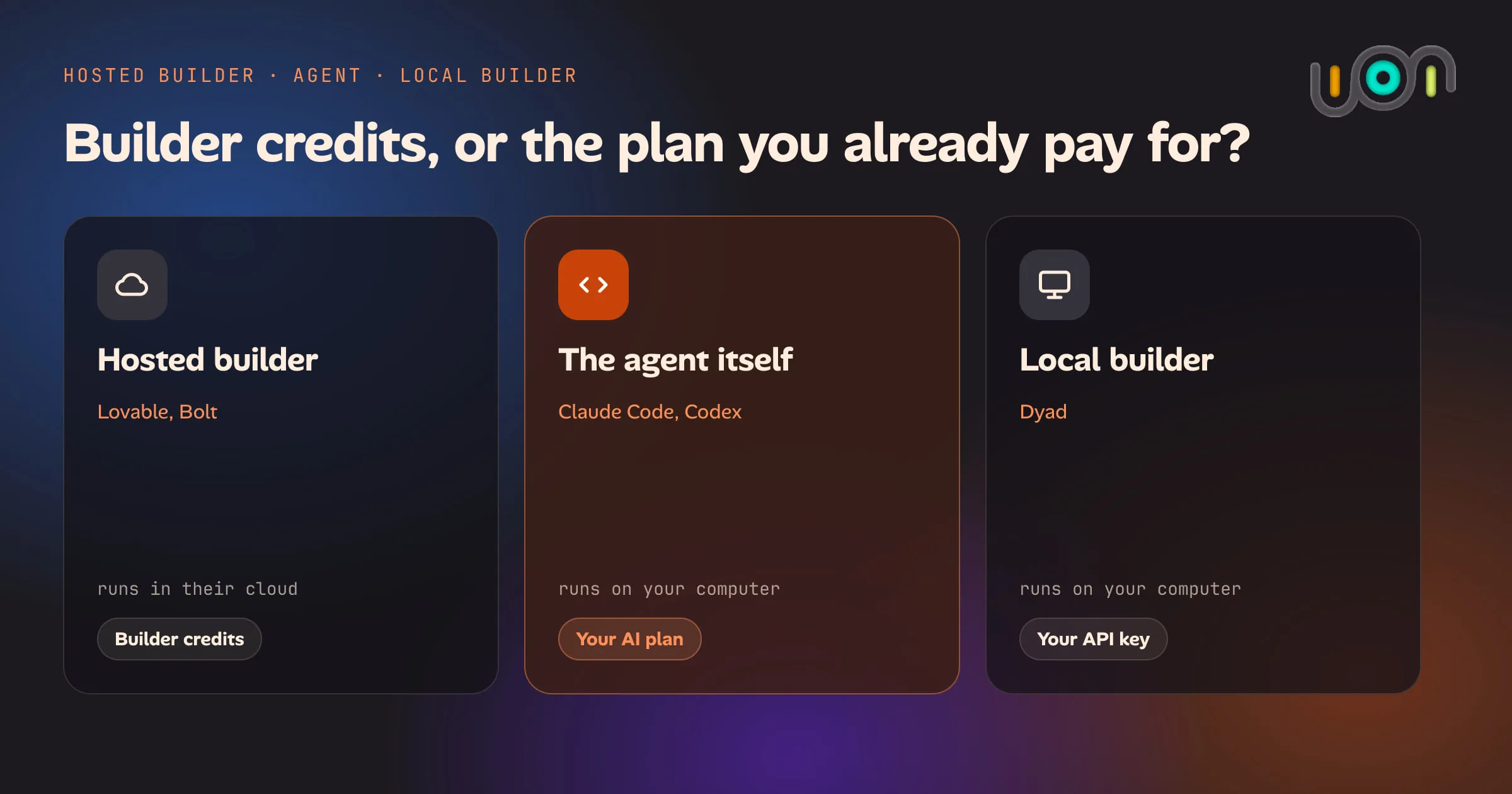
If you already pay for Claude or ChatGPT, the plan includes a coding agent that can build an app on your computer. Lovable and Bolt will build one in a browser tab, with hosting included, for a second monthly bill. Dyad sits in between: a free builder that runs on your computer and asks for an API key.
They are all reasonable choices for different people. This post lays out where each one runs, who ends up holding the code, what you pay, and where you go when the app gets bigger than the tool. Prices are the vendors’ own published list prices in US dollars, checked on 4 October 2026. They change often, so follow the links before you decide.
The short answer
- You pay for Claude or ChatGPT and want to spend nothing more: use the agent in your plan. Claude Code comes with Claude Pro and Max. Codex comes with every ChatGPT plan. You do more of the setup yourself.
- You want a link you can share by tonight and don’t want to install anything: use a hosted builder. Lovable and Bolt are the easier start, and that is worth paying for.
- You want the hosted-builder feel but on your own computer: try Dyad. It is free and open source. It uses an API key, which is a separate bill from a chat plan.
The comparison
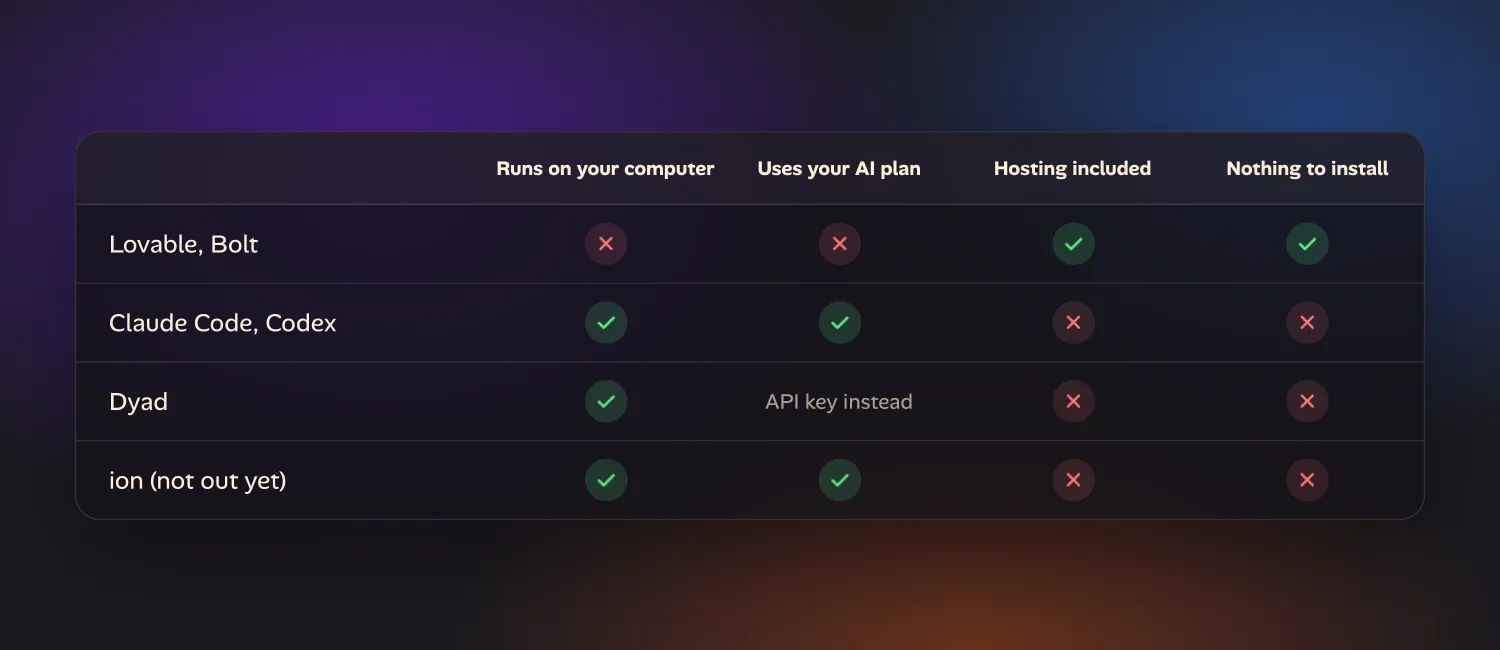
| Where it runs | Who holds the code | What you pay | Getting started | Hosting and deploy | When you outgrow it | |
|---|---|---|---|---|---|---|
| Lovable, Bolt (hosted) | Their cloud, in your browser | In your project on their service. Sync it to your GitHub or download it. | Their plan: credits (Lovable) or tokens (Bolt), on top of any AI plan | Easiest. Open a tab and type. | Included. One click to publish. | Take the code to GitHub and carry on with any tool. The backend moves separately. |
| Claude Code, Codex (the agent itself) | Your computer | You. It is a folder on your disk. | The Claude or ChatGPT plan you already have, within its usage limits | Install an app, sign in, pick a folder. More to learn. | Not included. You choose a host, or run it on your own computer. | Nothing to migrate. It was ordinary code all along. |
| Dyad (local, open source) | Your computer | You. It is a folder on your disk. | The app is free. The AI is billed through your own API key. | Download and run. No sign-up, but you need a key. | Not included. It syncs to GitHub, and you deploy from there. | Open the same folder in any editor or agent. |
| ion (not out yet) | Your computer | You. A git repository on your computer. | Your Claude or ChatGPT plan, within its usage limits | Not downloadable yet. A one-time setup on a Mac or Linux computer. | Runs on your computer, with a preview you open on your phone. | Open the same repository in any editor or agent. |
I build ion, so read the last row with that in mind. It is in the table because it is the same local approach as the two rows above it, and I would rather show it next to the alternatives than on its own. More on it further down.
What you pay
This is the part people get wrong most often, because there are three different bills and they don’t substitute for each other.
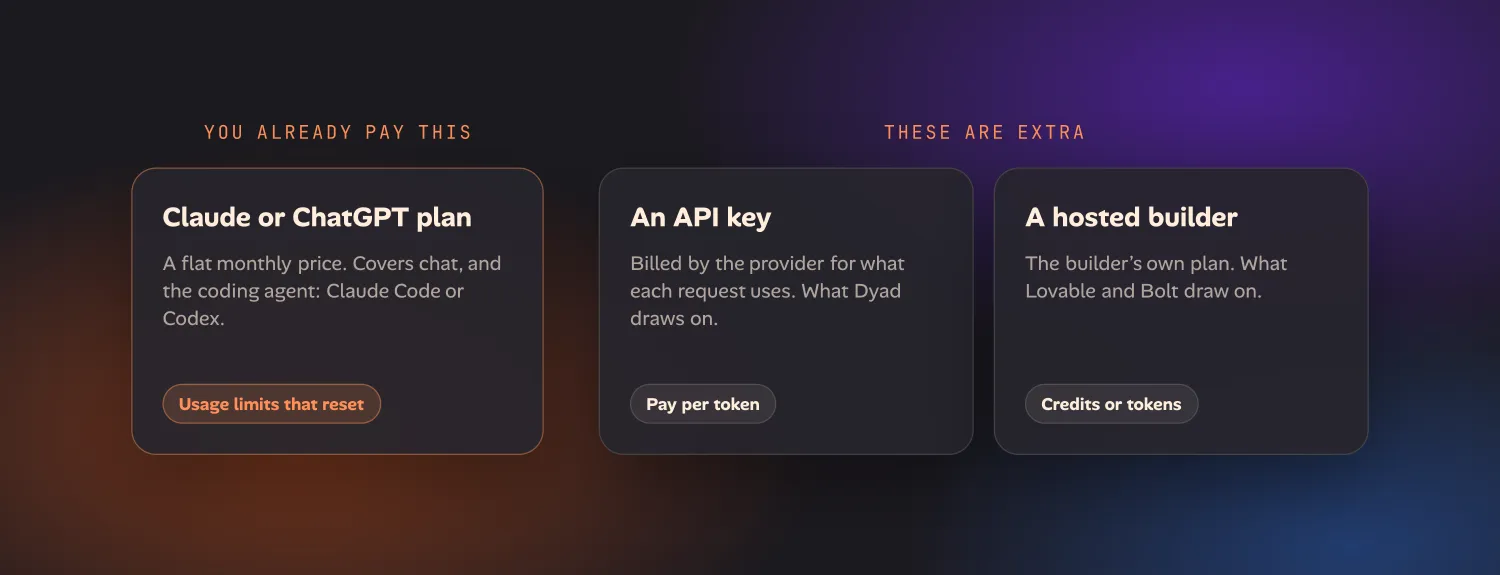
A chat plan is a flat monthly price with usage limits that reset. It covers the provider’s own tools, including their coding agent.
An API key is pay-as-you-go: the provider bills you for what each request uses. It is a different product from a chat plan, and paying for one does not give you the other.
A hosted builder’s plan pays for the builder’s AI usage and its hosting. It does not connect to your chat plan.
The plan you already have
| Plan | List price | Coding agent included |
|---|---|---|
| Claude Free | $0 | No Claude Code |
| Claude Pro | $20 a month, or $200 for a year | Claude Code |
| Claude Max | From $100 a month | Claude Code, with 5 or 20 times Pro’s usage |
| ChatGPT Free | $0 | Codex, for quick tasks |
| ChatGPT Go | $8 a month | Codex, for lightweight tasks |
| ChatGPT Plus | $20 a month | Codex |
| ChatGPT Pro | From $100 a month | Codex, with higher limits |
Sources: Claude pricing and Codex pricing.
Neither plan is unlimited. Claude’s limits reset on a rolling five-hour window, and paid plans also have a weekly limit. OpenAI says how much Codex you get depends on the model and the size of the task. A long building session can hit the limit, and then you wait for the reset or move up a plan. For trying an idea, the plan you have is usually enough to find out whether the idea is any good.
Hosted builders
| Plan | List price | What it includes |
|---|---|---|
| Lovable Free | $0 | 5 build credits a day, up to 30 a month |
| Lovable Pro | $25 a month | From 100 credits a month, plus 5 a day. Custom domains and code download. |
| Lovable Business | $50 a month | From 100 credits a month, plus team features |
| Bolt Free | $0 | 1 million tokens a month, 300,000 a day |
| Bolt Pro | $25 a month | From 10 million tokens a month, no daily cap, custom domains |
| Bolt Teams | $30 a member a month | The Pro allowance for each member |
Sources: Lovable’s plans, how Lovable credits work and Bolt pricing.
A Lovable credit is not one message. Lovable’s own examples put a build request at between half a credit and two credits depending on how much work it is, so 100 credits is somewhere between 50 and 200 changes by those examples. Unused monthly credits roll over on both services while you stay subscribed.
Both include hosting. Lovable says running a small or new app costs most people nothing beyond the plan, because a monthly grant covers it, and that a busier app draws on your credits.
So the comparison in the title comes out like this. With Claude Pro and Lovable Pro you pay $45 a month. With Claude Pro and Claude Code you pay the $20 you were already paying. What the extra $25 buys is real: hosting, a database, logins and a publish button, with nothing to install.
Dyad
Dyad itself is free, with no account needed. The AI is billed through whichever provider’s API key you give it. Dyad’s docs recommend starting with a Google Gemini key because Gemini has a free tier, and note that Google may use free-tier data for training. There is also a paid Dyad Pro at $20 a month that bundles 200 AI credits and extra modes, and Dyad Max at $79 a month with 900. Source: Dyad pricing.
One thing to know before you install it: Dyad cannot use a Claude Pro or ChatGPT Plus subscription. An Anthropic or OpenAI API key is billed separately, per use. If the point is to spend nothing beyond the plan you have, Dyad with a free Gemini key does that, and Claude Code or Codex does that. Dyad with an Anthropic key does not.
Where it runs, and who holds the code
With a hosted builder, the app is built and run on the builder’s servers. You see it in a preview pane in your browser. That is why there is nothing to install, and why it works from a Chromebook or a locked-down work laptop.
The code is not trapped there. Lovable has two-way sync with a GitHub repository on every plan, including the free one, and paid plans can download the codebase. Bolt downloads a project as a zip file, and can create a GitHub repository from it. If you turn sync on at the start, you have your own copy from the first day.
With Claude Code, Codex or Dyad, the app is a folder on your computer. Dyad
keeps its apps in a dyad-apps folder in your home directory. There is no
export step because there was never anywhere else for the code to be. The cost
is that keeping a copy safe is your job: ask the agent to set up git and push
to a private GitHub repository early.
Dyad’s source is on GitHub under the Apache
2.0 licence, apart from a src/pro directory under a separate source-available
licence. It runs on macOS and Windows.
How easy it is to start
Hosted builders win this, and it isn’t close. You sign up, type a sentence and watch an app appear. There is no install, no folder, no question about what Node.js is.
Dyad is the next easiest. You download an app and get the same layout as a hosted builder: chat on one side, a live preview on the other. The extra step is getting an API key and pasting it in.
Claude Code and Codex ask the most of you. Both now have a desktop app, so you don’t have to use a terminal, but you are still working with a general coding agent and not a product designed around one job. It will ask you things a hosted builder decides for you: which framework, where the data lives, how to run it. If you have never built anything, that is a real hurdle. If you can describe what you want clearly and are willing to read what it tells you, you get past it in an afternoon. The beginner walkthrough covers what you need, how to write the brief and how to check the result.
Hosting and deploy
A hosted builder publishes your app at a public address with one click. Custom domains are on the paid plans of both Lovable and Bolt.
Dyad doesn’t host anything. It syncs your app to GitHub from inside the app, and its docs walk you through deploying that repository on Vercel. It works with Supabase for a database and logins. You create those accounts yourself.
With Claude Code or Codex you ask the agent to deploy the app and it walks you through it. You still pick the host and make the account. Many hosts have a free tier that covers a small app.
There is a third option that hosted builders can’t offer. An app that only you or your household use does not need to be on the public internet. It can run on your own computer and stay there.
When you outgrow it
The usual complaint about a hosted builder is that once an app gets large, each change costs more credits and is more likely to break something else. The way out is the one the builders provide. Sync to GitHub, then open that repository with Claude Code, Codex or a developer. The front end comes across as ordinary code. The backend the builder set up for you, meaning the database, logins and file storage, is a separate thing to move or keep paying for.
That makes “start in Lovable, finish in Claude Code” a sensible plan and not a failure. You pay for the easy start while the idea is unproven, then stop paying for credits once you know what you are building.
With the local options there is nothing to move. What you outgrow is your own ability to check the work. An agent with no guardrails will happily build the wrong thing quickly, and a bigger app needs you to say what you want more precisely and test what comes back.
When a hosted builder is the better choice
- You have never set up a development tool and don’t want today to be the day.
- You need a working link to show someone this week.
- You want logins, a database and hosting chosen and wired up for you.
- You are on a computer you can’t install software on.
- You don’t pay for an AI plan. Lovable and Bolt both have a free tier, and Claude’s free plan does not include Claude Code.
- Your time is worth more than $25 a month, which for a business idea it usually is.
When your own plan is the better choice
- You already pay for Claude or ChatGPT and want to try an idea for nothing extra.
- The app is for you, your family or a small team, and doesn’t need public hosting.
- You want the code and the data on a computer you control from the start.
- You expect to keep changing the app for a long time, and don’t want each change metered.
- You want something a hosted builder’s template doesn’t cover.
Where ion fits
The builder I’m working on is ion. It is not downloadable yet, so this is a description and not a recommendation you can act on today.
It takes the local approach: it runs on your own Mac or Linux computer, runs Claude Code or Codex for you on the plan you already pay for (that plan’s usage limits apply), and keeps the code in a git repository on that computer. What it adds is a planning step. Before anything is built it asks what it can’t work out, as options you pick from, then proposes a plan you edit and approve. You watch the result in a live preview you can open on your phone.
That is aimed at the hurdle described above, where a general agent asks a beginner questions they don’t know how to answer. It does not make a hosted builder’s convenience go away: you need a computer that stays on, and a one-time setup. There is more on building your first app and on the tools underneath it. If it sounds like your kind of thing, you can join the early-access list.
Sources
All checked on 4 October 2026.
- Anthropic: Claude pricing and Claude Code setup
- OpenAI: Codex pricing
- Lovable: plans, credits and GitHub sync
- Bolt: pricing and the help centre
- Dyad: pricing, AI models, publishing and the source
Questions
What's the cheapest way to build an app if I already pay for Claude or ChatGPT?
Use the coding agent your plan already includes: Claude Code with a Claude Pro or Max plan, or Codex with a ChatGPT plan. Both run on your own computer, so there are no builder credits or hosting to buy while you try an idea. Hosted builders such as Lovable and Bolt are easier to start with, but their plan is a second bill on top of the one you have. Your AI plan's usage limits still apply.
Is there a Lovable-style app builder that runs on my own computer?
Yes. Dyad is a free, open-source app builder for macOS and Windows that runs on your computer and keeps the code there. It uses your own API keys, which are billed separately from a Claude or ChatGPT plan. You can also use Claude Code or Codex directly; both have a desktop app, so the terminal is optional.
Does a Claude Pro or ChatGPT Plus plan work inside Lovable, Bolt or Dyad?
No. Lovable and Bolt bill their own credits or tokens. Dyad asks for an API key, which the AI provider bills per use and which is a different product from a chat plan. The tools a chat plan covers are the provider's own: Claude Code for a Claude plan, Codex for a ChatGPT plan.
Do I own the code Lovable or Bolt writes?
You can take it with you. Lovable syncs a project to your own GitHub repository on every plan and lets paid plans download the codebase. Bolt downloads a project as a zip file or puts it in a GitHub repository. What takes more work to move is everything around the code: the hosting, the database and the logins the builder set up for you.
When is a hosted builder the better choice?
When you want a working link to share today and don't want to install anything. A hosted builder gives you hosting, a database and logins in one place, works from any browser, and has a free tier, so it also suits people who don't pay for an AI plan yet.