Browser profiles vs containers vs per-project storage
Chrome and Edge profiles, Firefox Multi-Account Containers, Safari Profiles and per-project storage compared: what each keeps separate, which platforms support it, and why none of them give you a disposable identity on a phone.
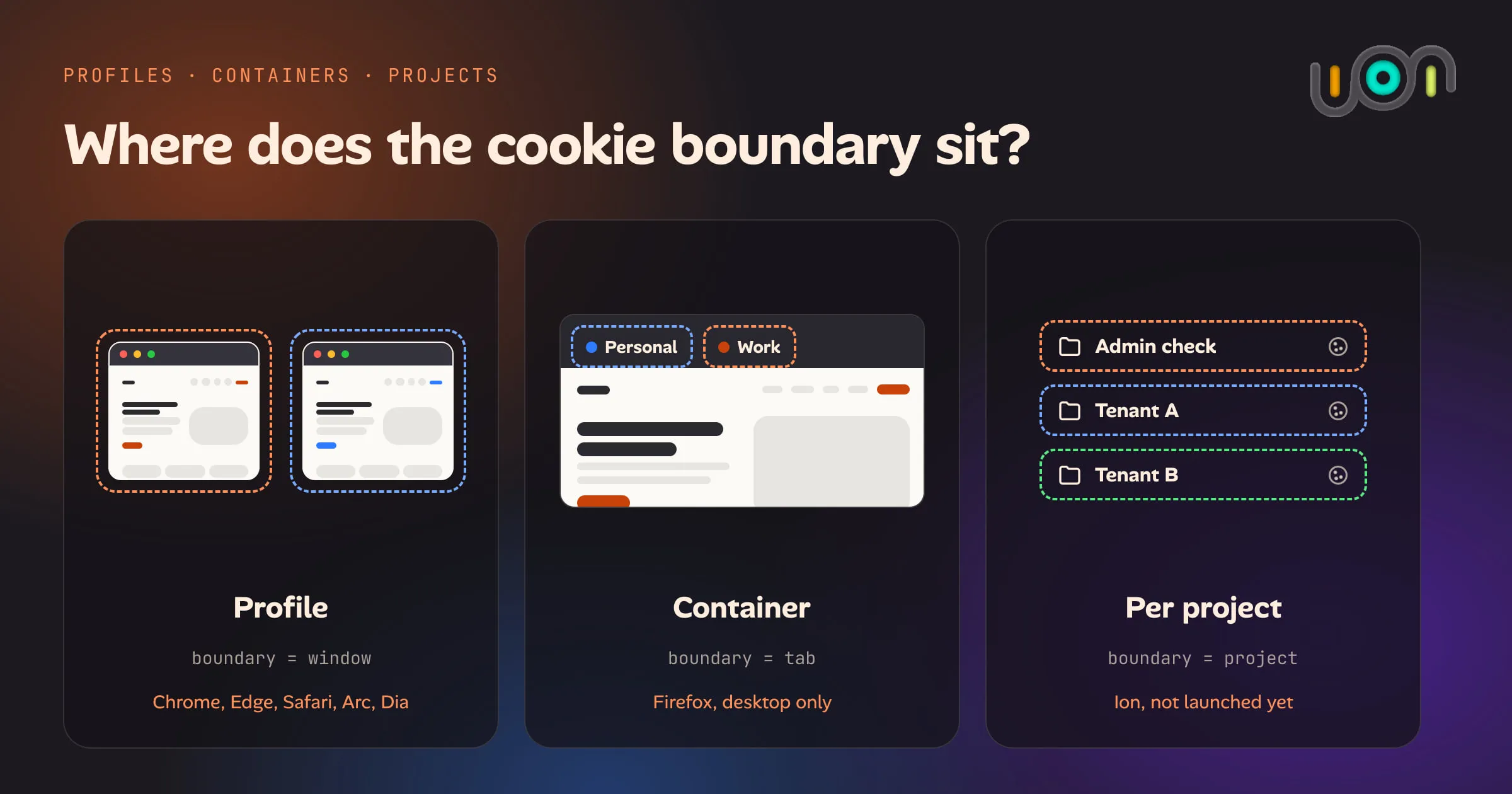
Every approach to “two logins for the same site” is a way of drawing a boundary around cookies and storage. The differences are in where that boundary sits, how heavy it is to create and destroy, and whether it exists on your phone at all. Here’s how the main ones compare, as of September 2026.
What each one actually separates
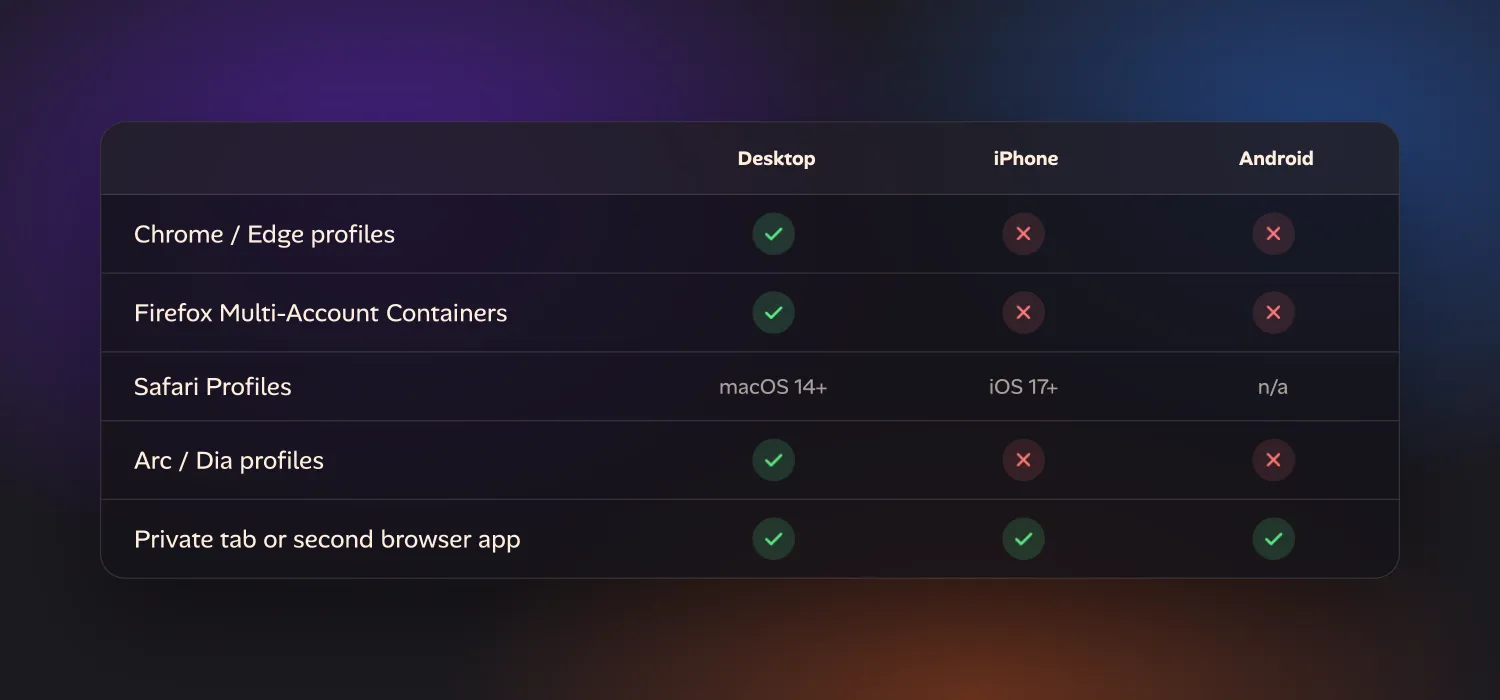
| Approach | Platform | Separates | Catch |
|---|---|---|---|
| Chrome / Edge profiles | Desktop | Cookies, history, extensions, bookmarks, passwords | Each profile is its own window. Heavy to spin up for a five-minute test. |
| Firefox Multi-Account Containers | Desktop only | Cookies and storage, colour-coded per tab | Not available on Firefox for Android or iOS. Same window, same history. |
| Safari Profiles | macOS 14+, iOS 17+ | Cookies, history, tabs, extensions, favorites | You switch the whole browser. Links from other apps ignore your choice and open in the default profile. |
| Arc / Dia Profiles | Desktop (macOS, Windows) | Cookies, history, extensions, settings — scoped to one or more Spaces | Arc is in maintenance mode as of 2026; new development is on Dia. Desktop only either way. |
| Private tab or a second browser app | Any, incl. mobile | Cookies for that tab, or that app | A private tab forgets everything when closed. A second app is one more identity, not a queue of them. |
Two things separate these into different categories, not just different brands. Weight: a profile is meant to last — it has its own bookmarks, its own history, its own extension list — so creating and deleting one is a trip through Settings, not a one-tap action. Reach: containers and profiles are desktop concepts. Move to a phone and only Safari Profiles and the private-tab-or-second-app fallback still apply.
Profiles vs containers: not the same shape
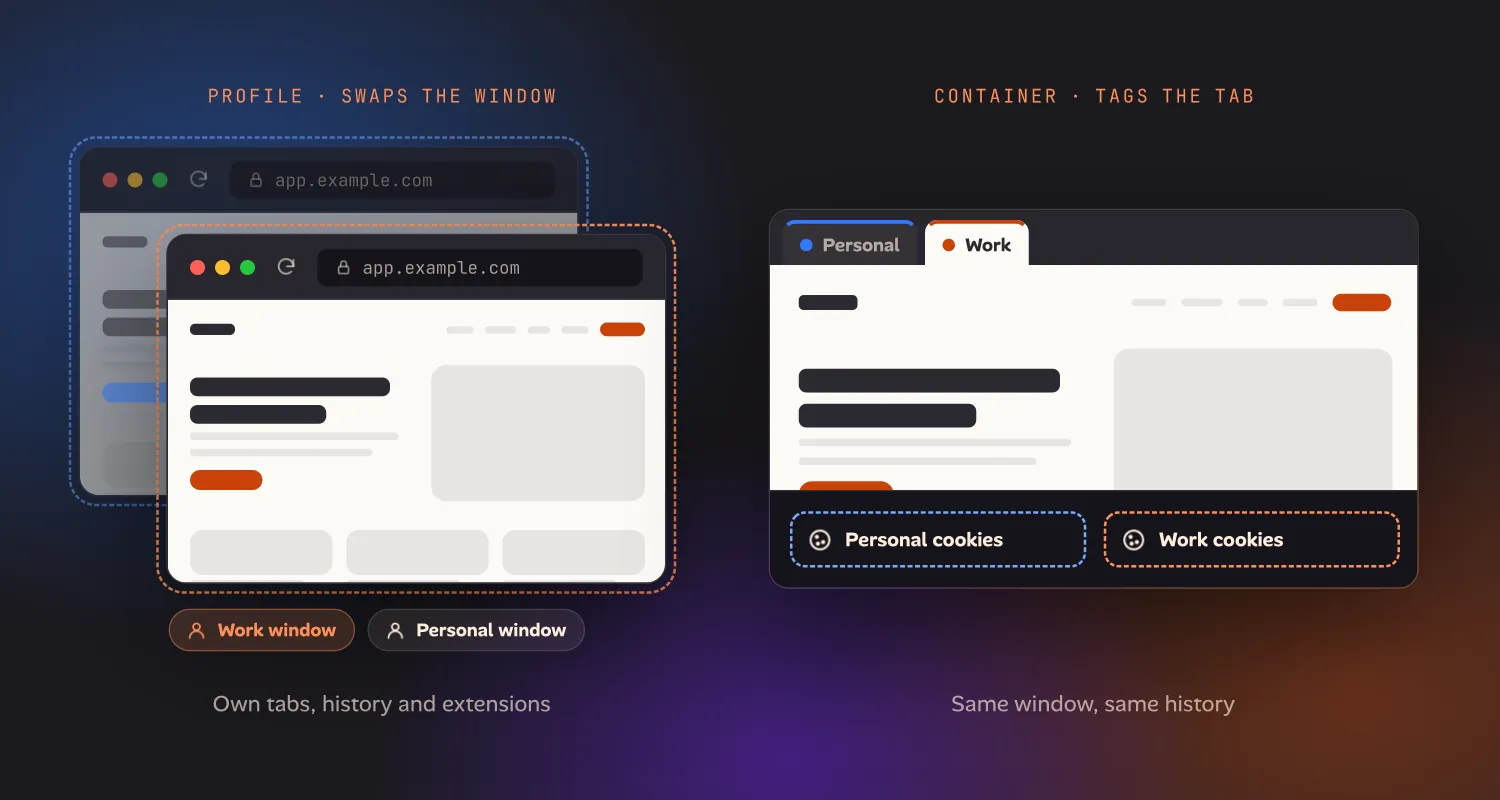
“Profile” and “container” get used loosely, but they solve different problems. A profile (Chrome, Edge, Safari, Arc, Dia) swaps your entire browsing context — you leave one window or app state and enter another, with its own tabs, history and extensions. A container (Firefox) tags individual tabs with an identity while staying in the same window: a Personal tab and a Work tab, colour-coded, sit side by side, and each fetches cookies for its own container. Containers are lighter-weight for the specific job of “a few tabs need separate cookies right now,” which is exactly why the Firefox extension never shipped on mobile — tab-level tagging assumes a tabbed browsing surface, and mobile Firefox’s tab model doesn’t expose it the same way.
Safari and Arc/Dia profiles sit closer to Chrome’s model than to Firefox’s: they swap the whole window or Space, not the tab.
Where this breaks down on a phone
None of the above gives you what you actually want when you’re testing “admin vs normal user” on a site, or checking two tenants of the same app: a cheap, disposable identity you create in seconds and throw away when you’re done.
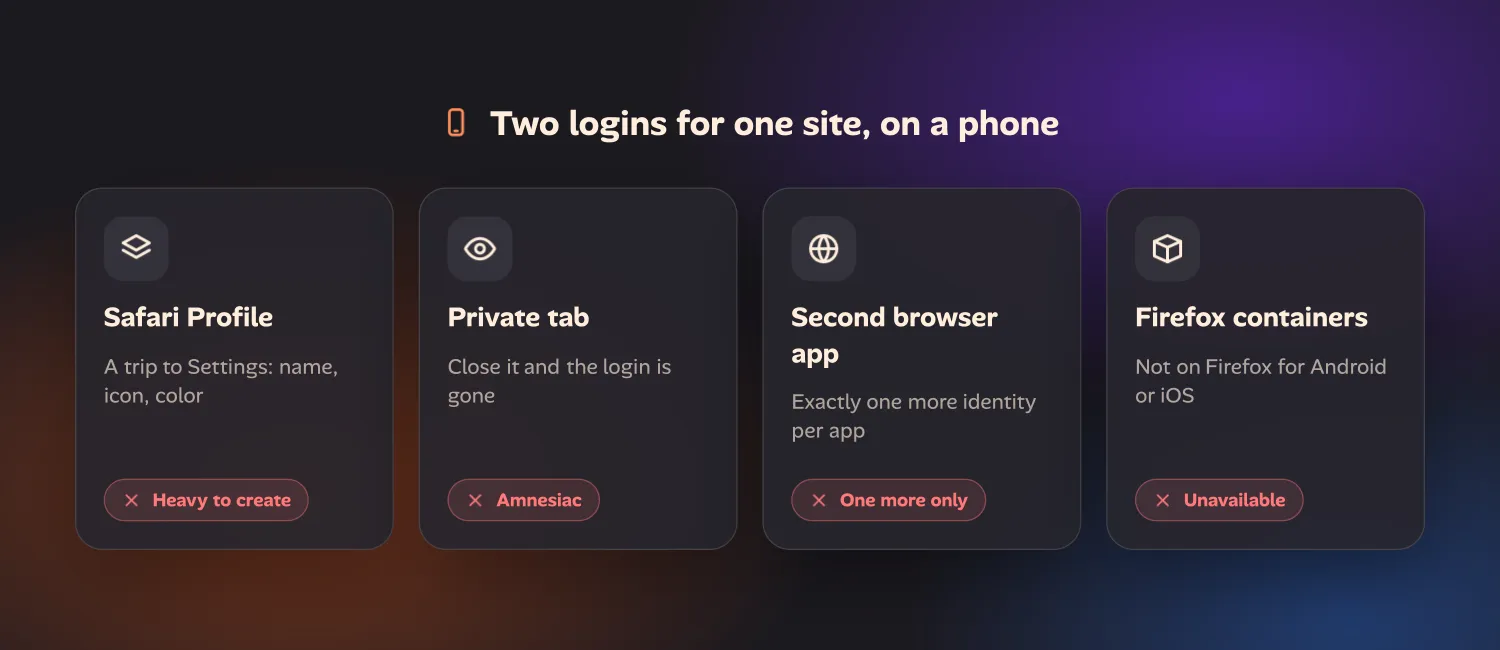
- A profile on iPhone means a trip to Settings, a name, an icon, and a color — for identities you might use once.
- A private tab is disposable but amnesiac. Close it and the login is gone, so you can’t come back to the same session five minutes later.
- A second browser app gives you exactly one more identity, no more. Need a third, install a third app.
- Containers aren’t an option at all — the Firefox extension that provides them doesn’t run on Firefox for Android or iOS.
That gap is one we hit constantly while testing our own sites and apps from a phone: “does this look right for a signed-out user,” “does the second tenant’s data leak into the first,” without a round trip to Settings or a whole extra app. In Ion, our in-progress workspace for building and testing sites and apps from a phone, each project gets its own isolated cookies and storage automatically — no separate creation step, no separate icon to pick. The identity follows the project you’re working in, and deleting the project deletes its data. Ion hasn’t launched yet. If this kind of testing is part of your workflow, you can join the early-access list to hear when it does.
Frequently asked questions
What’s the difference between a browser profile and a browser container?
A profile swaps your whole browsing context — window, tabs, history and extensions — for a different one. A container tags individual tabs with a separate identity while you stay in the same window, so a Personal tab and a Work tab can sit side by side. Chrome, Edge, Safari, Arc and Dia use profiles. Firefox’s Multi-Account Containers is the main example of the tab-level approach.
Do Firefox containers work on iPhone or Android?
No. Multi-Account Containers is a desktop-only Firefox extension. Mobile Firefox has no equivalent, so isolating cookies per tab isn’t available on phones through Firefox.
Which browsers support profiles on iPhone?
Safari, since iOS 17. Chrome, Edge, Arc and Dia all support profiles on desktop, but none of them offer profile switching on iPhone or Android.
What’s the fastest way to test two accounts on the same site without setting up a profile?
A private tab is fastest but forgets the login once closed, so it only works for a single check. For anything you’ll come back to, you need a persistent separate identity — a second profile, a second browser app, or a workspace like Ion that isolates storage per project automatically.