Hard-reload a page in Ion without losing your login
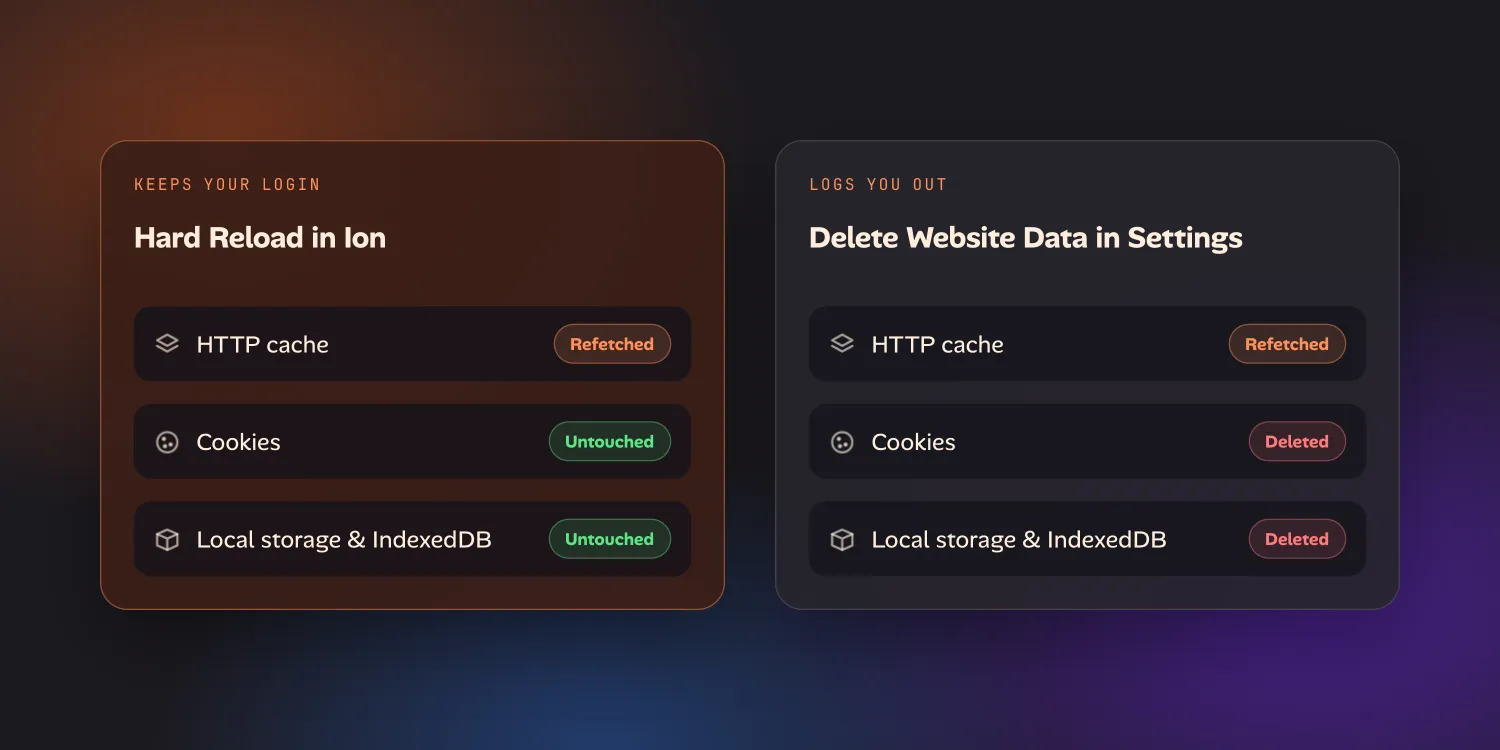
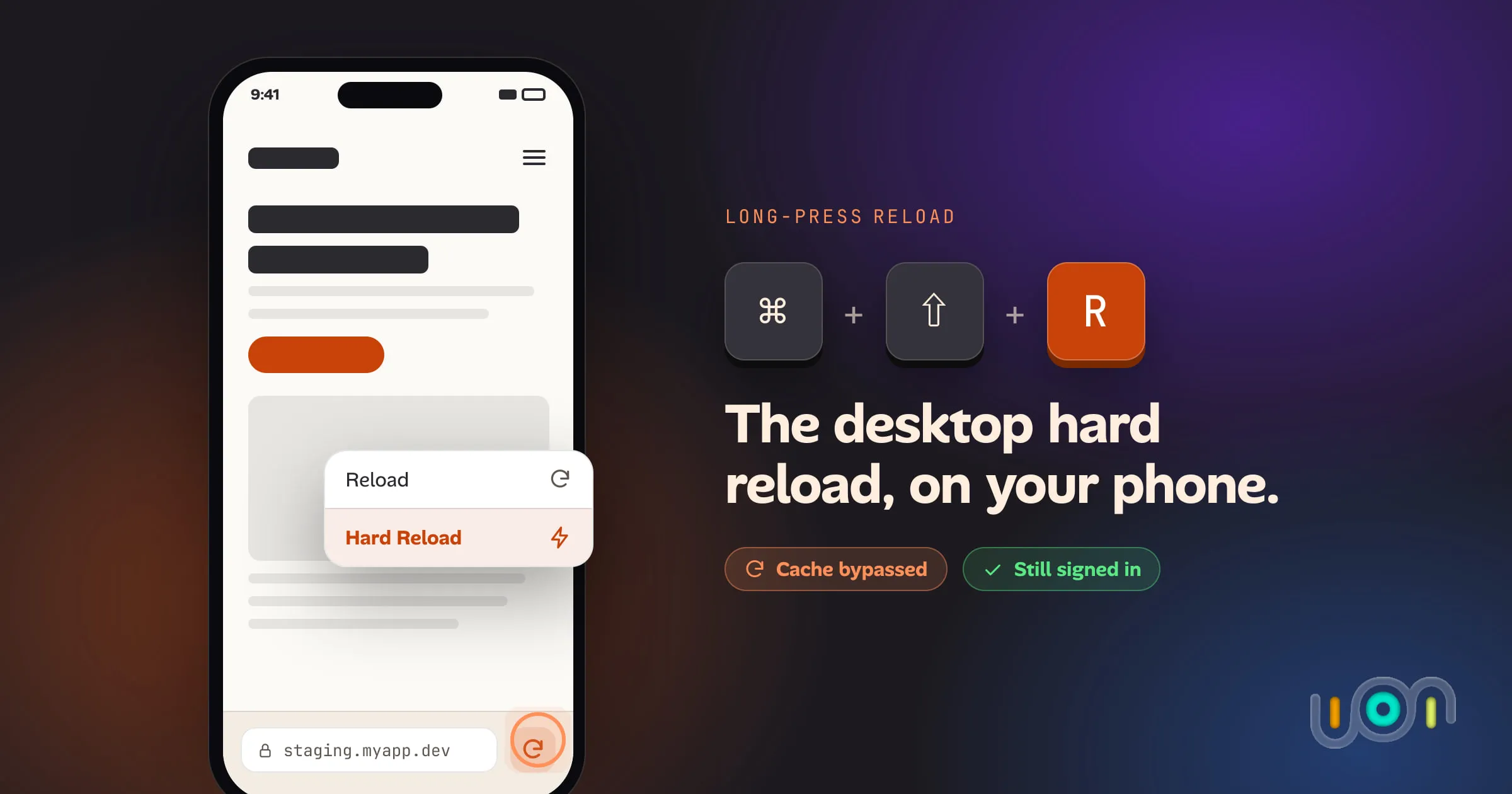
Safari and Chrome on iPhone have no hard reload, only a way to wipe all of a site's data and log you out. Ion puts the ⌘⇧R gesture on the reload button itself, cache bypass without touching cookies or storage.
I was testing a deploy on my phone and kept seeing the old CSS. On a laptop this is a non-event: ⌘⇧R, or Ctrl+Shift+R on Windows and Linux, refetches every resource from the origin instead of the cache, and you’re looking at the current build. There is no equivalent on an iPhone, or on any other phone. Reload just reloads, from whatever is already cached.
What “reload” actually offers on a phone
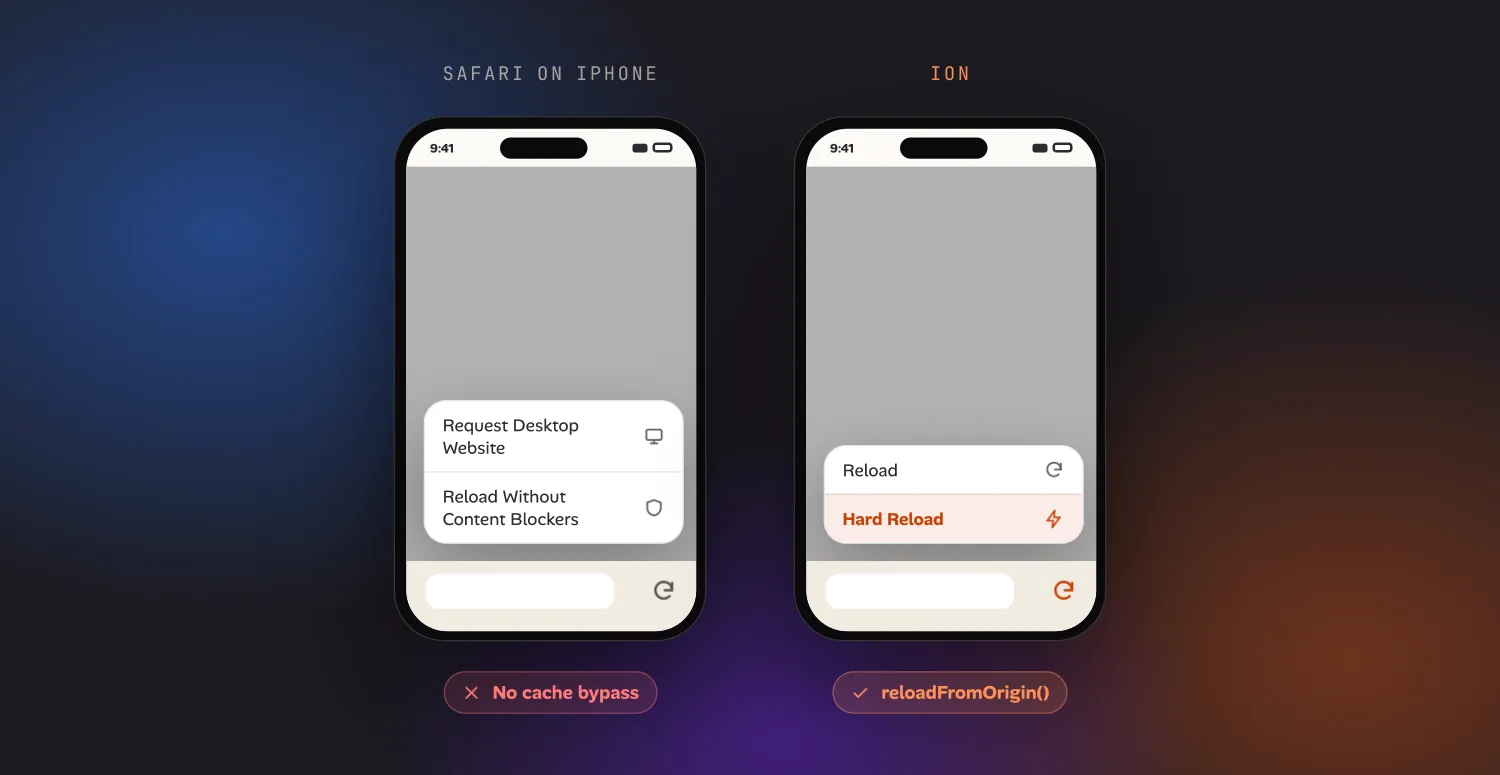
Long-press Safari’s reload icon and you get Request Desktop Website and Reload Without Content Blockers. Neither one is a cache bypass. The closest thing Safari has is Settings → Apps → Safari → Advanced → Website Data → find the site → delete it, which does force a fresh fetch next time you visit — by deleting everything else about that site along with the cache. Cookies, localStorage, IndexedDB, your session. You reload the page and you’re logged out. Chrome on iOS and Android don’t expose a per-site option at all; the equivalent is Delete browsing data for every site at once, or plugging into a computer and using remote DevTools with Disable cache ticked, which is a real workaround but needs a cable and a second machine. The full list of mobile workarounds is longer, and every item on it costs you either the session or a second device.
None of this is a bug in these browsers. A hard reload is a developer tool, and developer tools are the thing mobile Safari has always treated as a desktop-only concern.
Long-press Reload in Ion
Ion’s reload button behaves like the desktop one because it’s built for exactly
this. Long-press it — or open it from the workspace’s overflow menu, for when the
address bar is scrolled out of view — and you get two options: Reload, and
Hard Reload. Hard Reload calls WKWebView’s reloadFromOrigin(), the same
mechanism that backs a real ⌘⇧R: every resource on the page is revalidated
against the server instead of served from the HTTP cache.
That’s the whole action. It doesn’t touch anything else.
Why it doesn’t log you out
The reason Safari’s only real option costs you your session is that “clear the cache for this site” isn’t a thing iOS lets an app or a settings pane do on its own — the only exposed control is “delete this site’s data,” which is the cache and the cookie jar and local storage, bundled as one irreversible action.
Ion’s Hard Reload only calls into the HTTP cache. It doesn’t reach into the
WKWebsiteDataStore that holds your cookies and local storage — that’s a
separate store, and a separate feature (each Ion project gets its own, so you can
stay signed in as two different users in two
different projects without either session leaking into the other). Bypassing the cache and clearing your session are
two different operations on desktop too; iOS just never gave phone users a way to
do the first one without the second.